eClinicalWorks / Healow · 2022
HealowDesigning check-in for anxious patients
Redesigning the patient self-check-in flow for eClinicalWorks, the largest cloud-based EHR in the US, so a first-time patient could finish check-in confidently, without a nurse leaning over their shoulder.
- Role
- UX designer, client-facing lead at HumanX
- Client
- eClinicalWorks / Healow
- Timeline
- 7 months, 2021–22
- Platform
- iPad kiosk · practice admin
180,000+
Physicians and nurse practitioners on eClinicalWorks, the EHR suite the kiosk ships inside
110,000+
Facilities running on eClinicalWorks
6 ways
To identify a patient at the kiosk, chosen by each practice
Source: eClinicalWorks, About us (figures for the whole suite, not the kiosk alone).
The problem
eClinicalWorks is the largest cloud-based EHR platform in the US. Healow is their patient-facing product, the software a patient touches directly. The self-check-in kiosk sits in the waiting room, and it’s often a patient’s first touchpoint with the practice they’ve just walked into.
We were hired to redesign it. The brief was ostensibly cosmetic (modernise the look, reduce time-per-screen), but the moment we started studying patients, the real problem was legible:
Patients left the kiosk because they didn’t trust what it would do with their information, and couldn’t tell what would happen next.
The mandate turned into three things at once:
- Make the patient side of the kiosk something a first-time visitor could complete alone, with confidence.
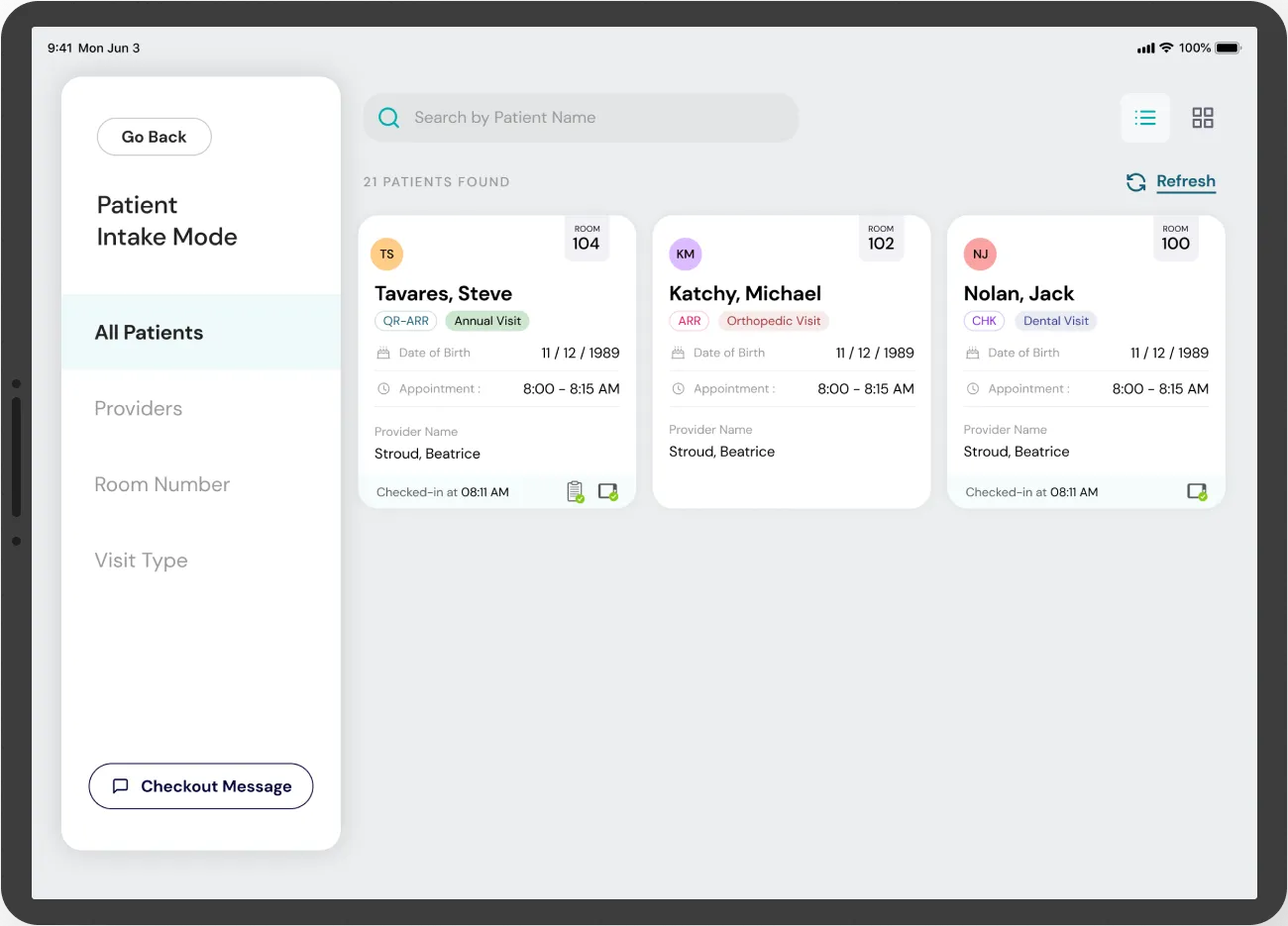
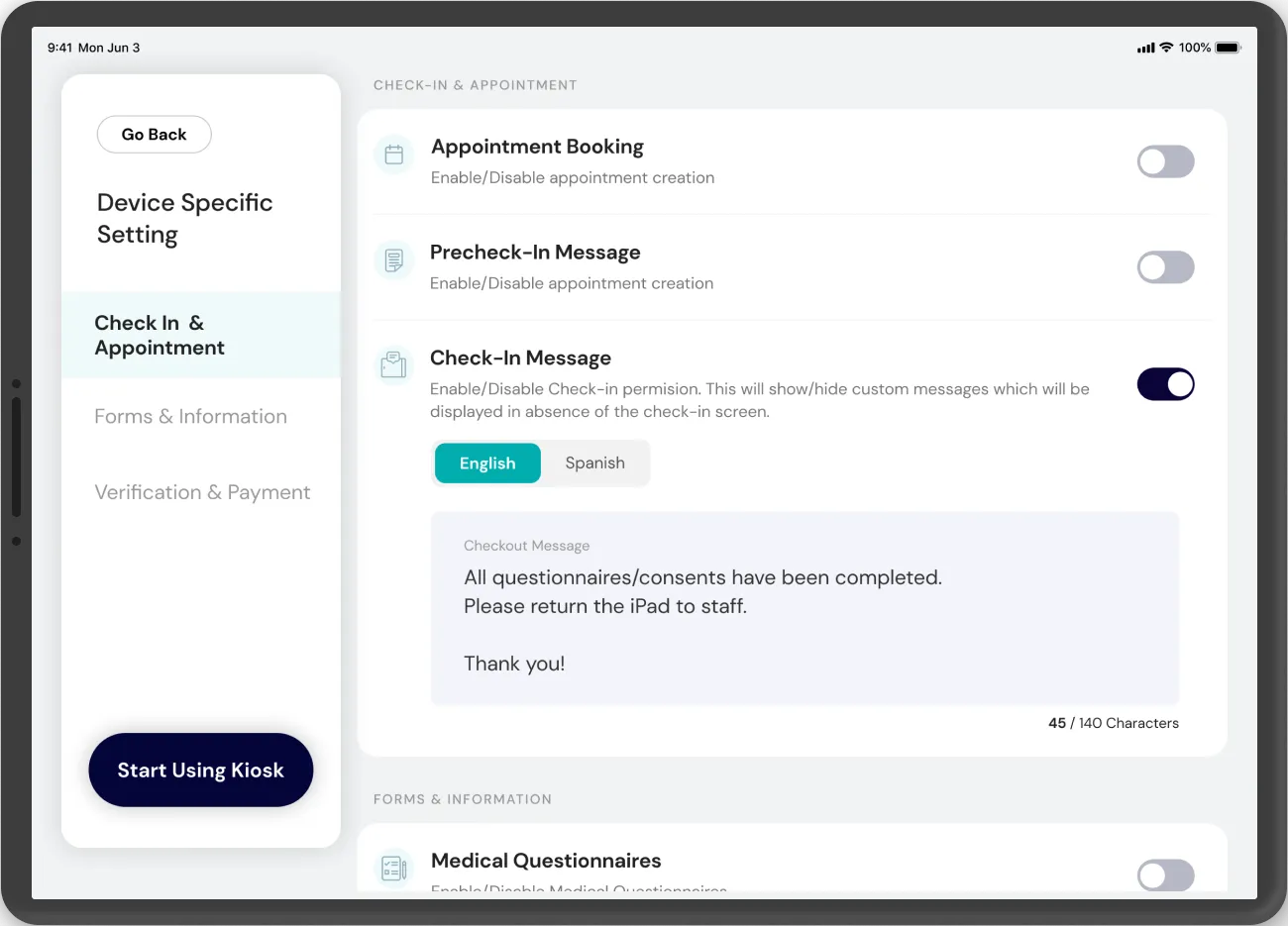
- Give the practice enough control (branding, patient identification methods, dashboard layout) that they could feel the kiosk belonged to them.
- Do both from one design system, so a patient’s experience stayed consistent across the wildly different practices deploying it.
What patients feared
The stated challenge was “seamless and hassle-free.” The real challenge was that patients were quietly anxious, and every friction point compounded that anxiety into abandonment. We started from three kinds of patient, each with a job to get done:
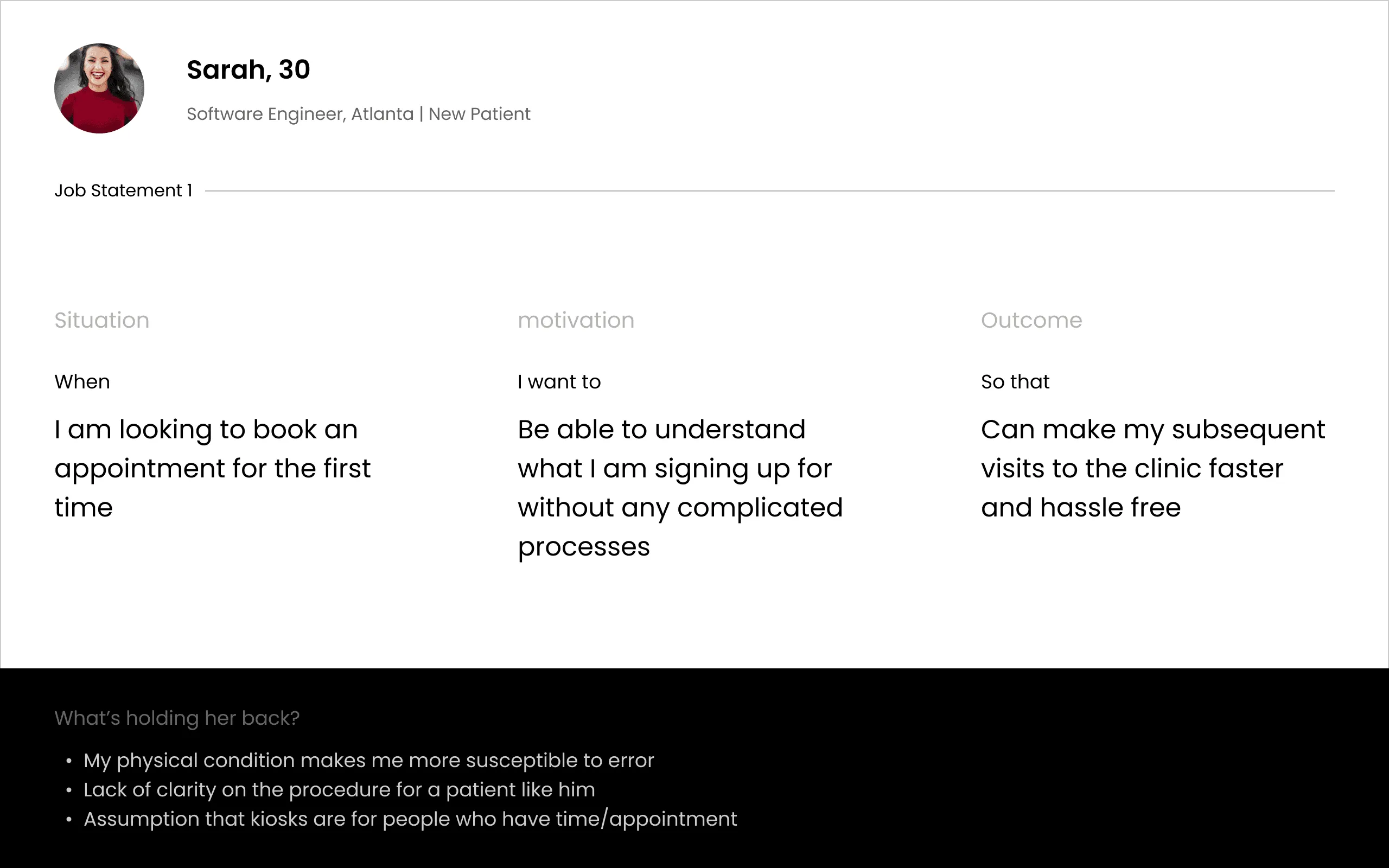
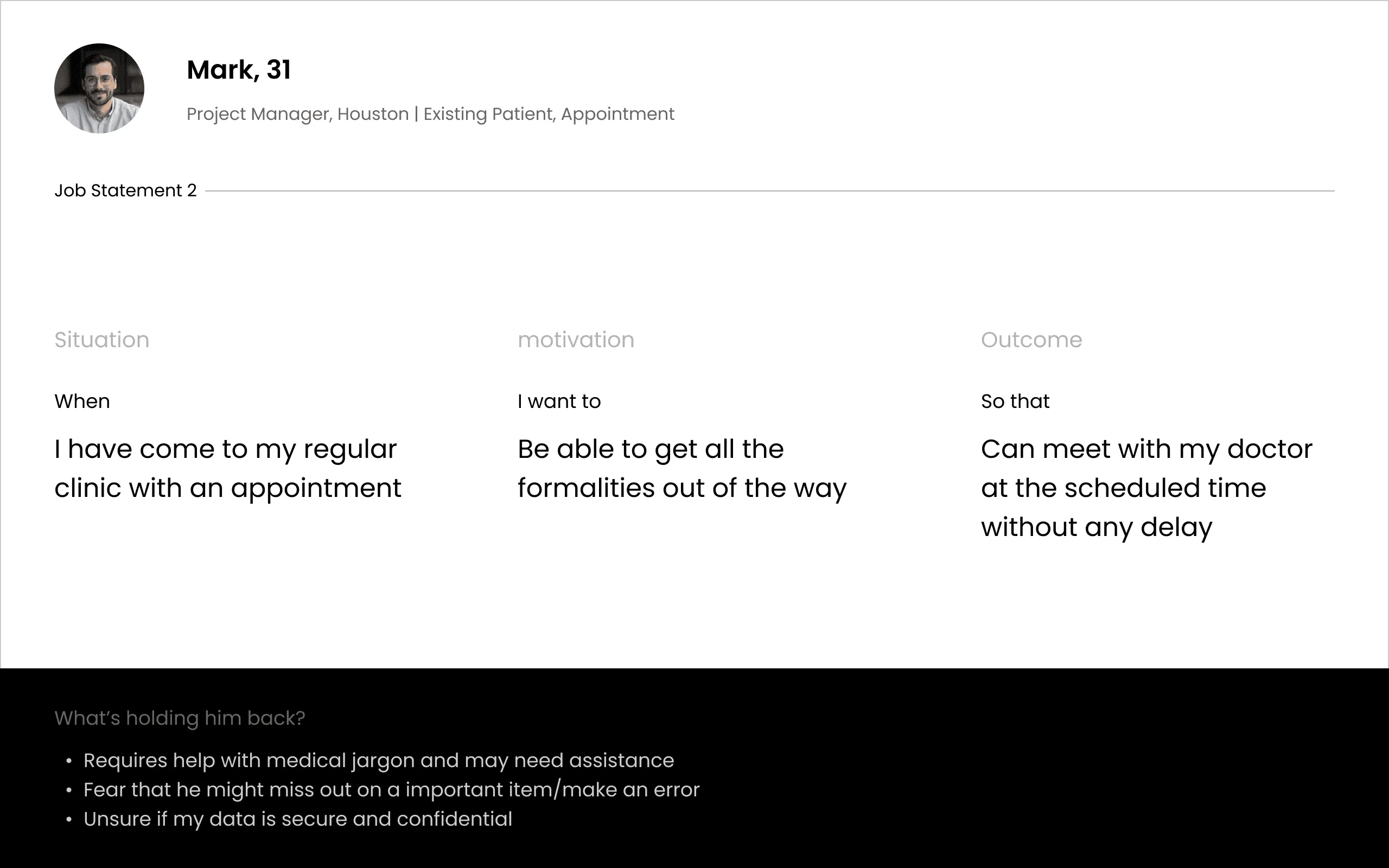
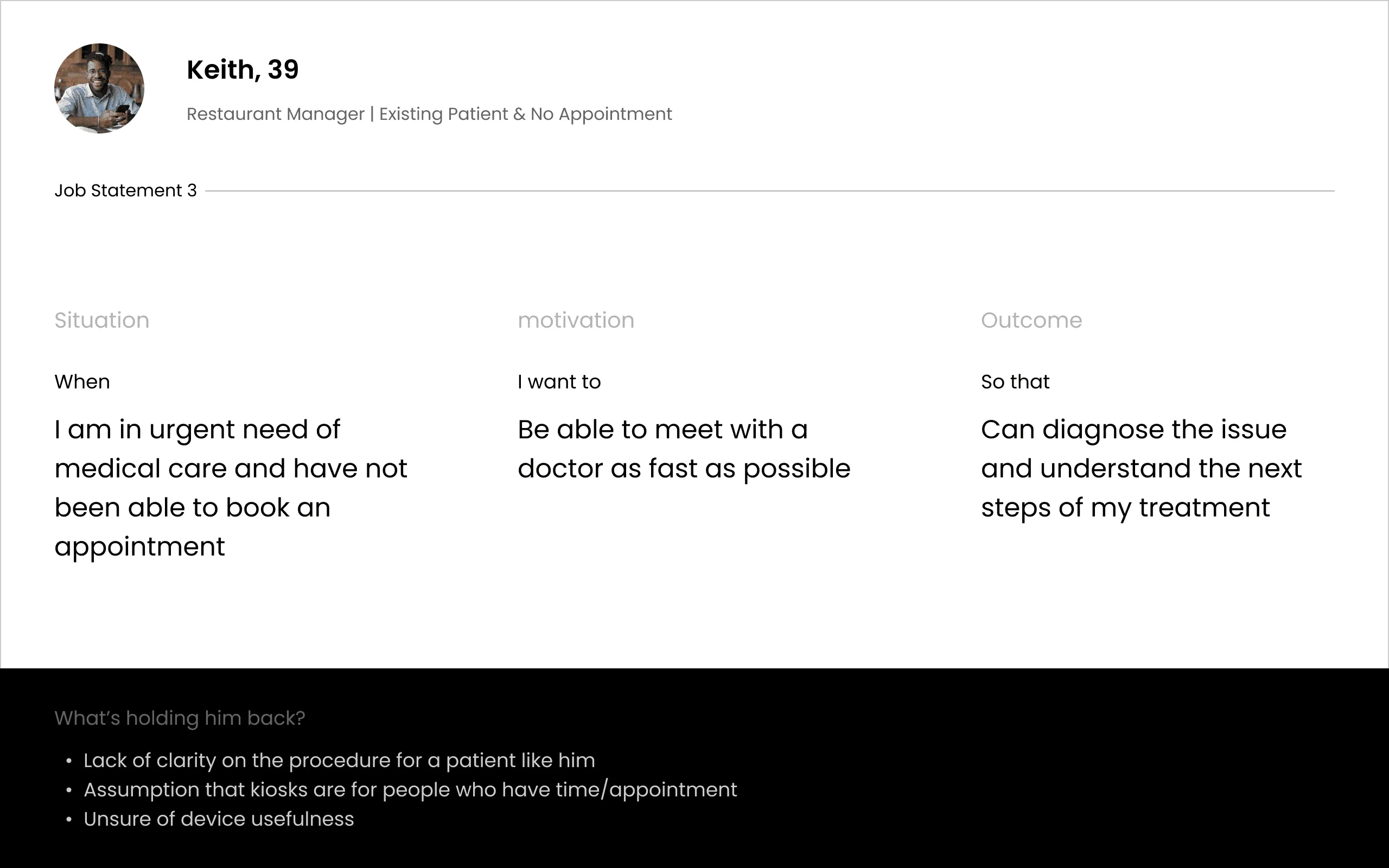
Mapping their hypotheses gave us a small set of recurring fears:
- 01
Unsure about the procedure
“What is this thing about to ask me, and how much will it need?”
- 02
Information overload
Kiosk screens historically dumped every field at once.
- 03
Concerns over data security
“Why does a screen in a waiting room need my SSN?”
- 04
Fear of consent implications
Long legal disclosures with a hard-to-find signature line.
- 05
Fear of medical jargon
“What does co-pay after deductible mean, and am I about to agree to it?”
- 06
General distrust of kiosks
“What if this thing eats my info and I have to redo it at the desk anyway?”
Those fears turned into three questions to design for:
How might we…
allow patients to self-manage the intake process?
How might we…
show patients what will happen to their information, and when, before we ask for it?
How might we…
help the staff focus more on the pressing tasks?
So we designed for predictability: patients always knew what was about to happen, and could see the whole flow before they started it.
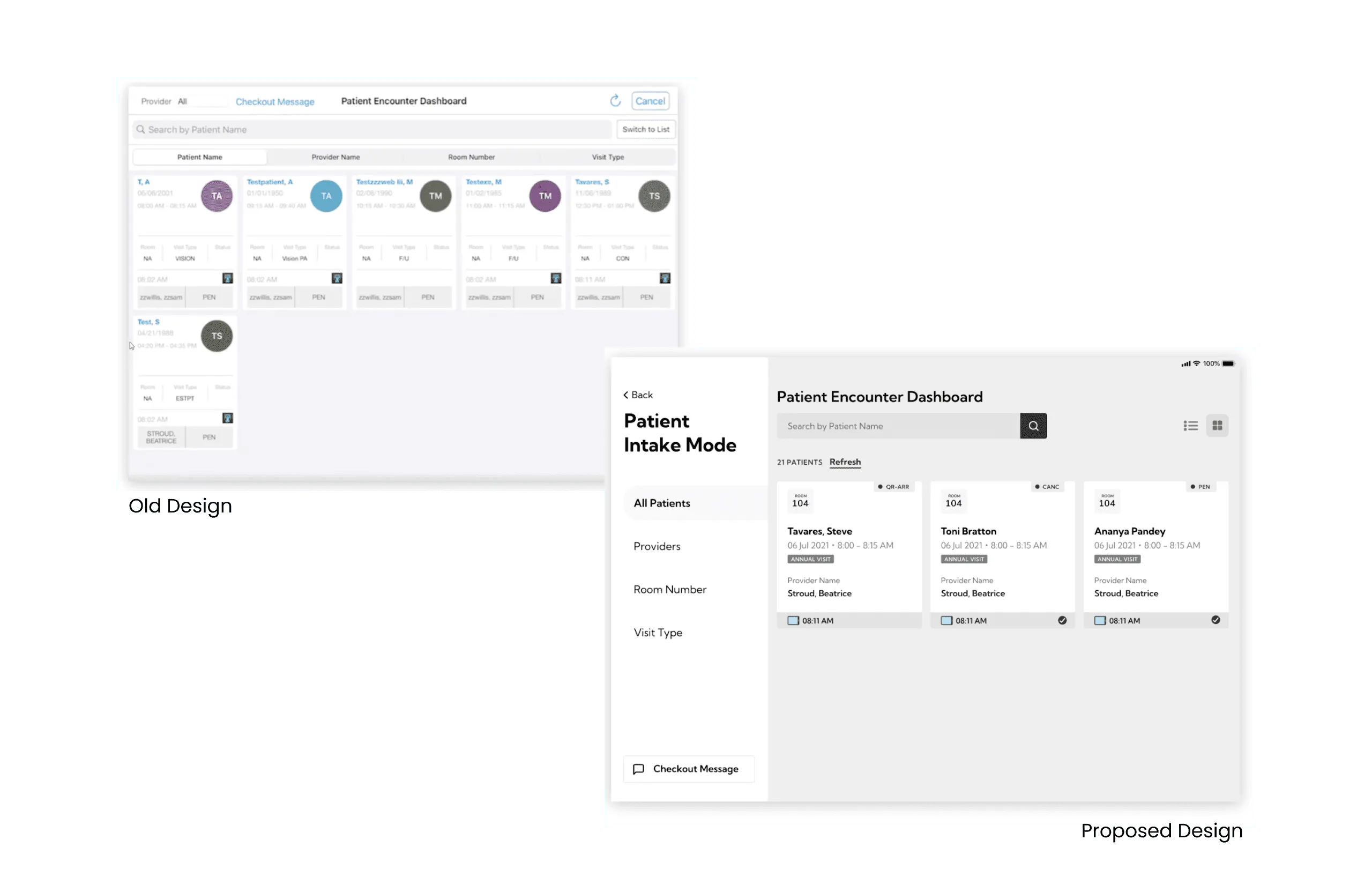
Before and after
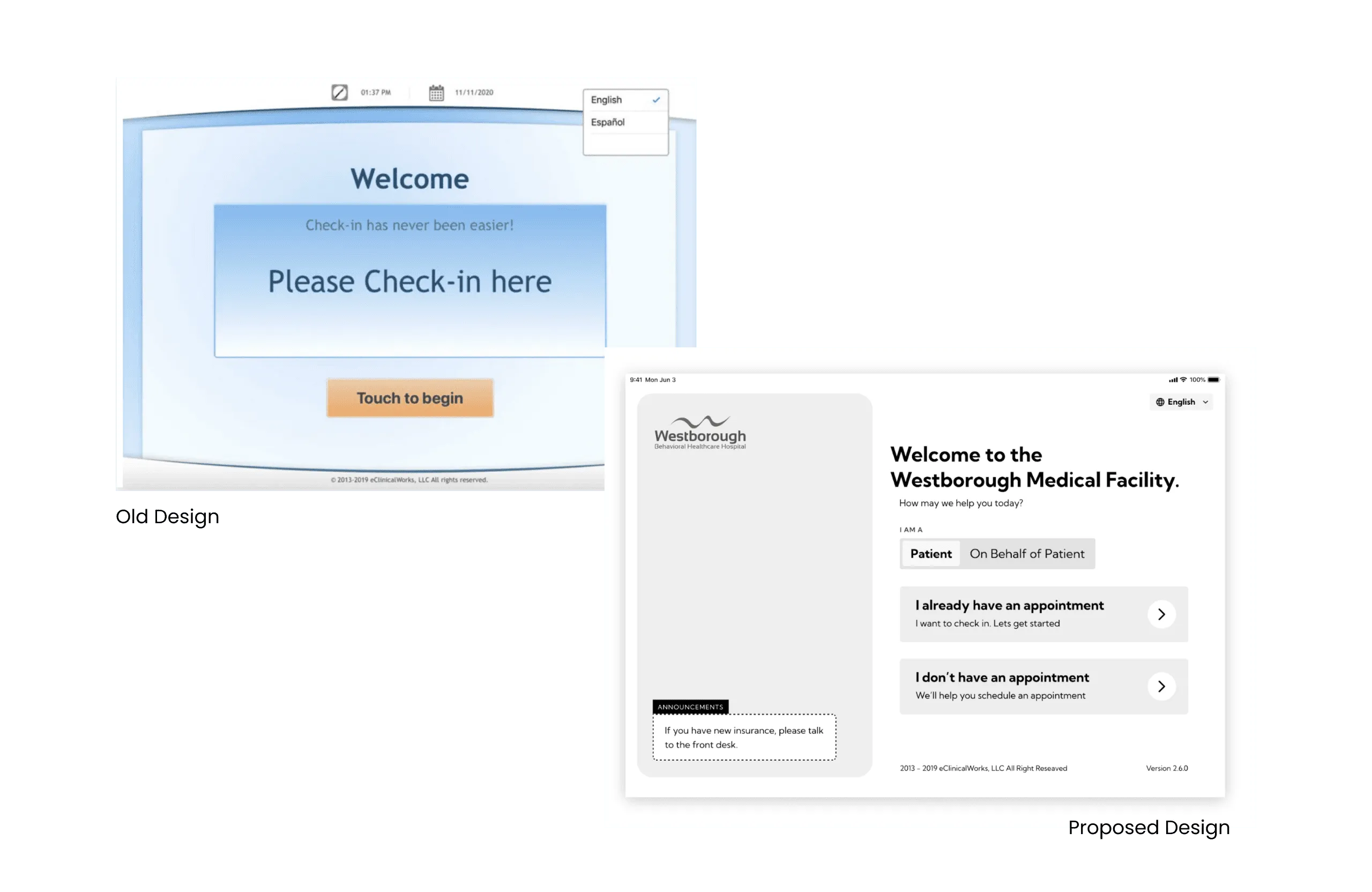
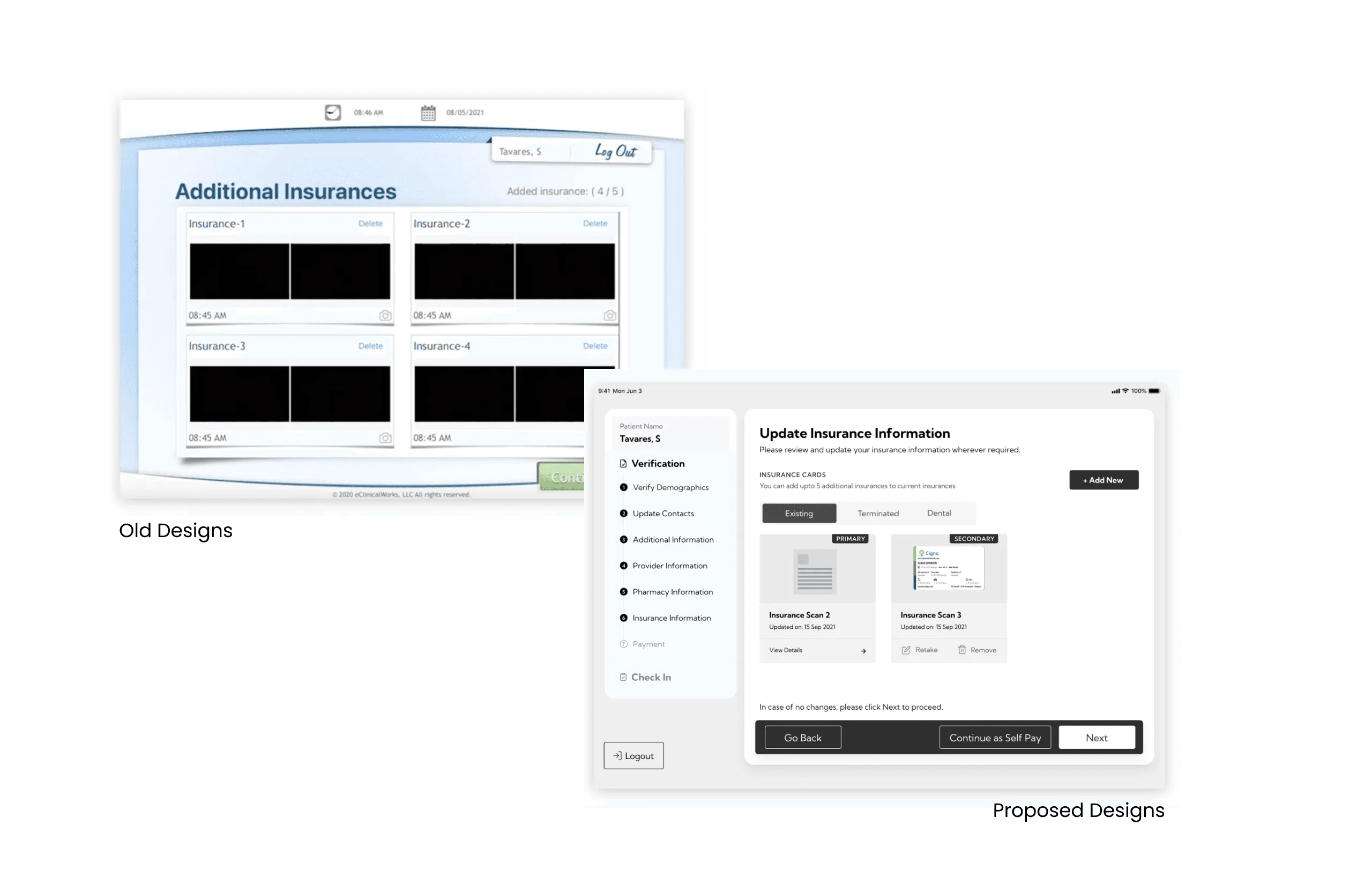
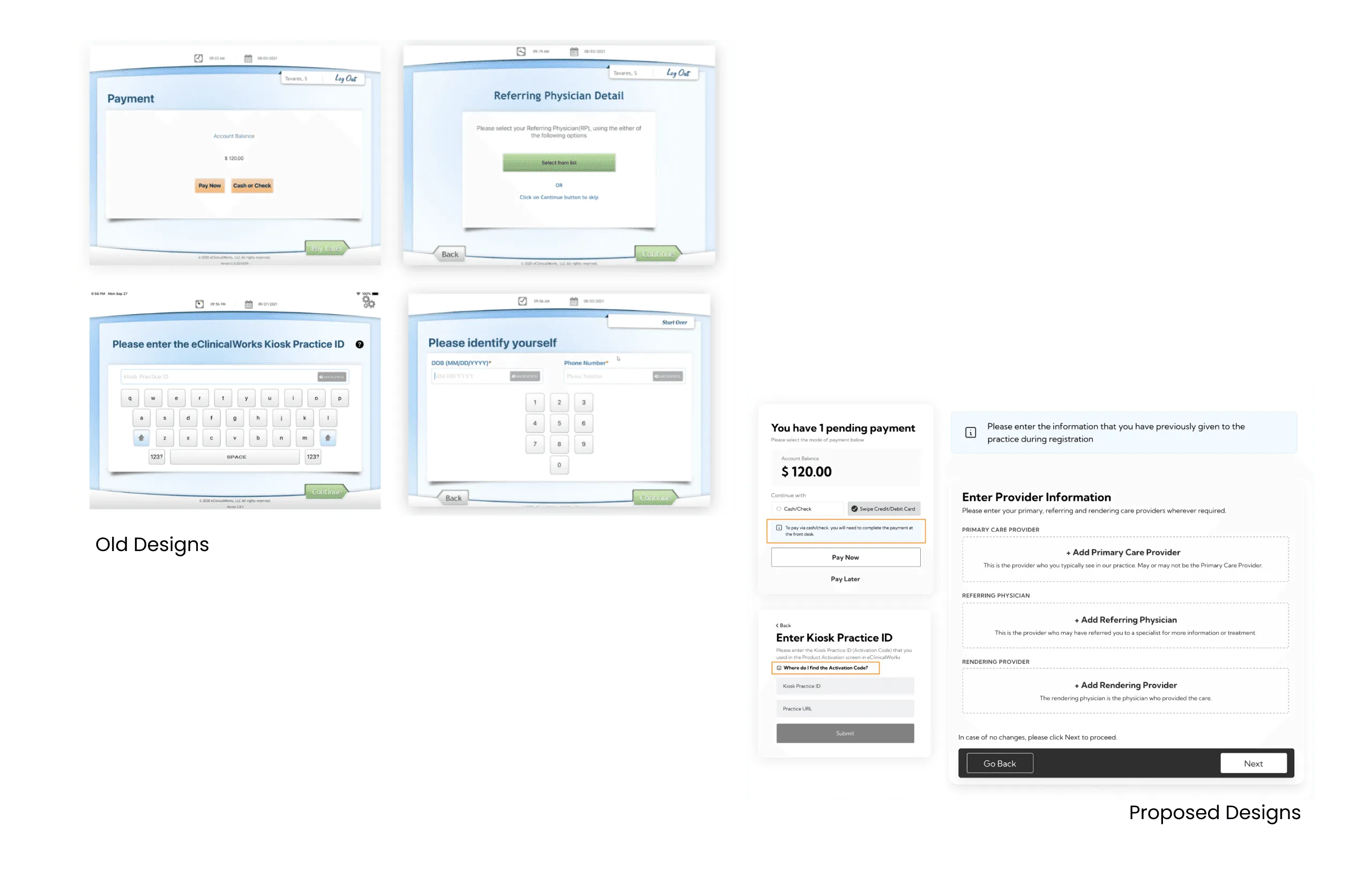
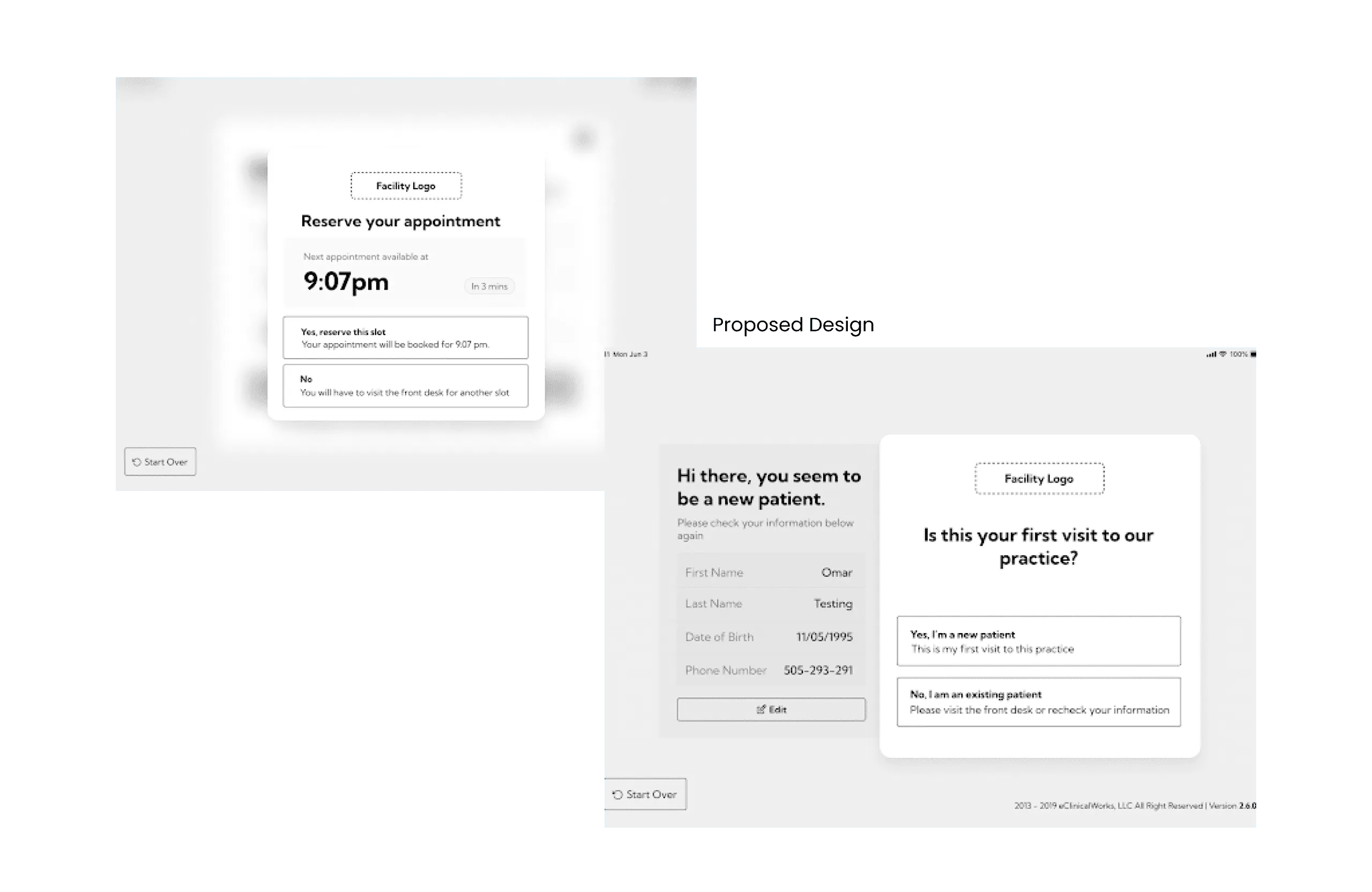
Key decisions
Decision 01

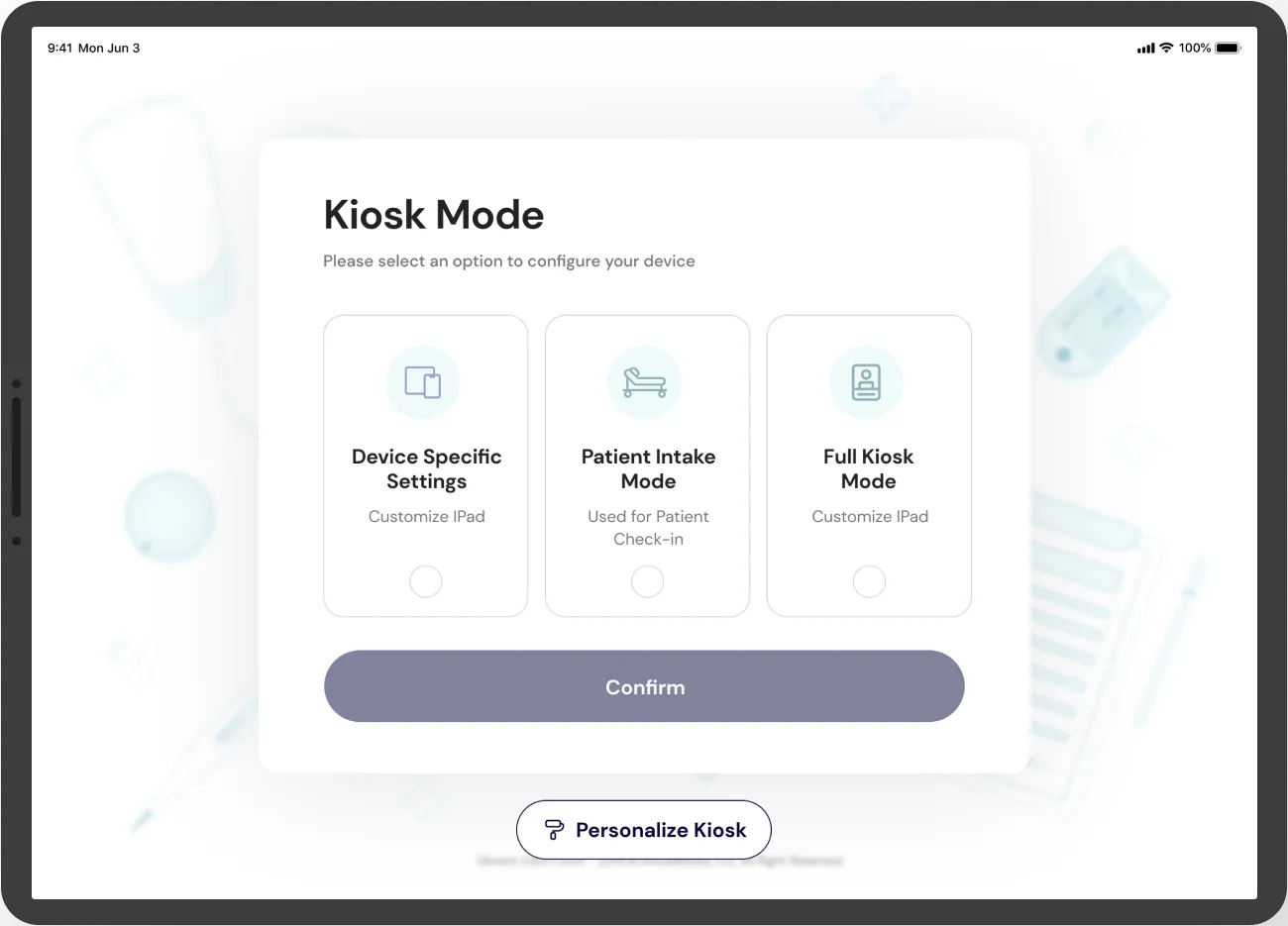
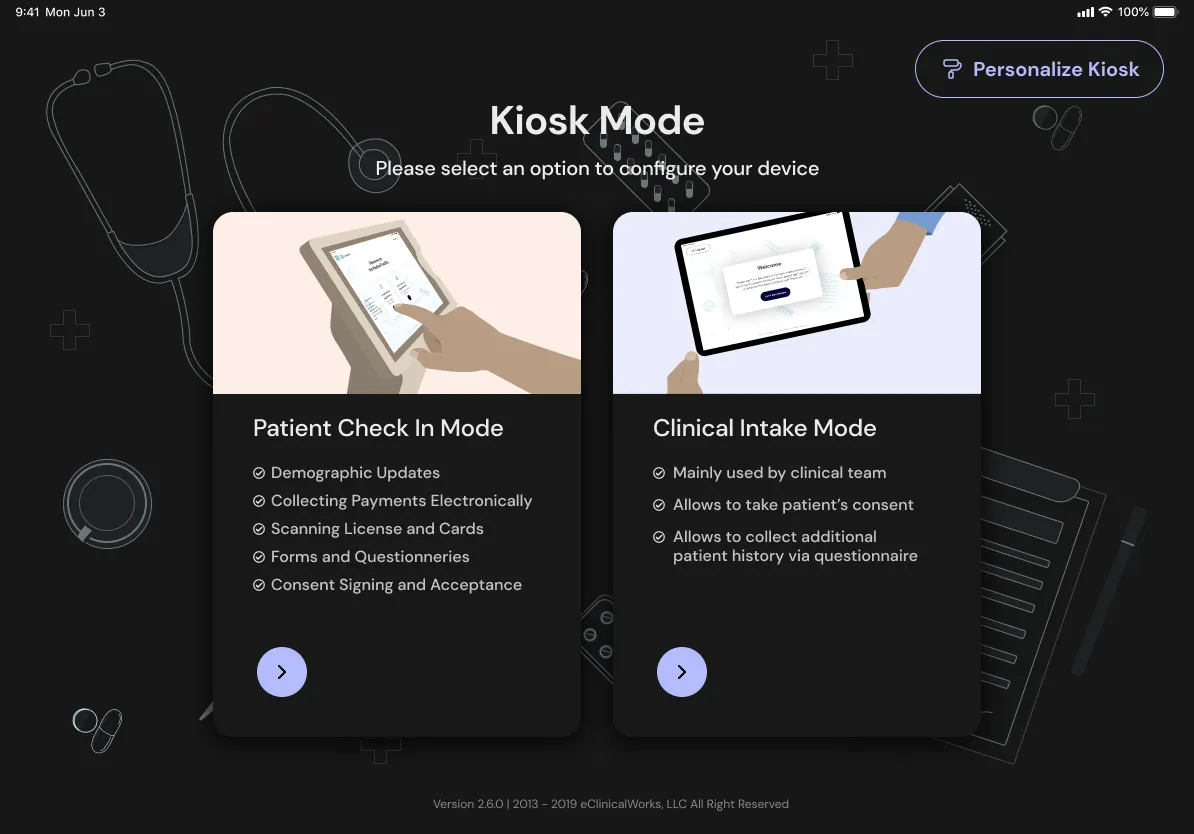
One place to set up the iPad
- On the table
- Keep it as it was: signing in leads to Full Kiosk Mode, and staff use a separate app and login
- One entry point for all three modes
- What I chose
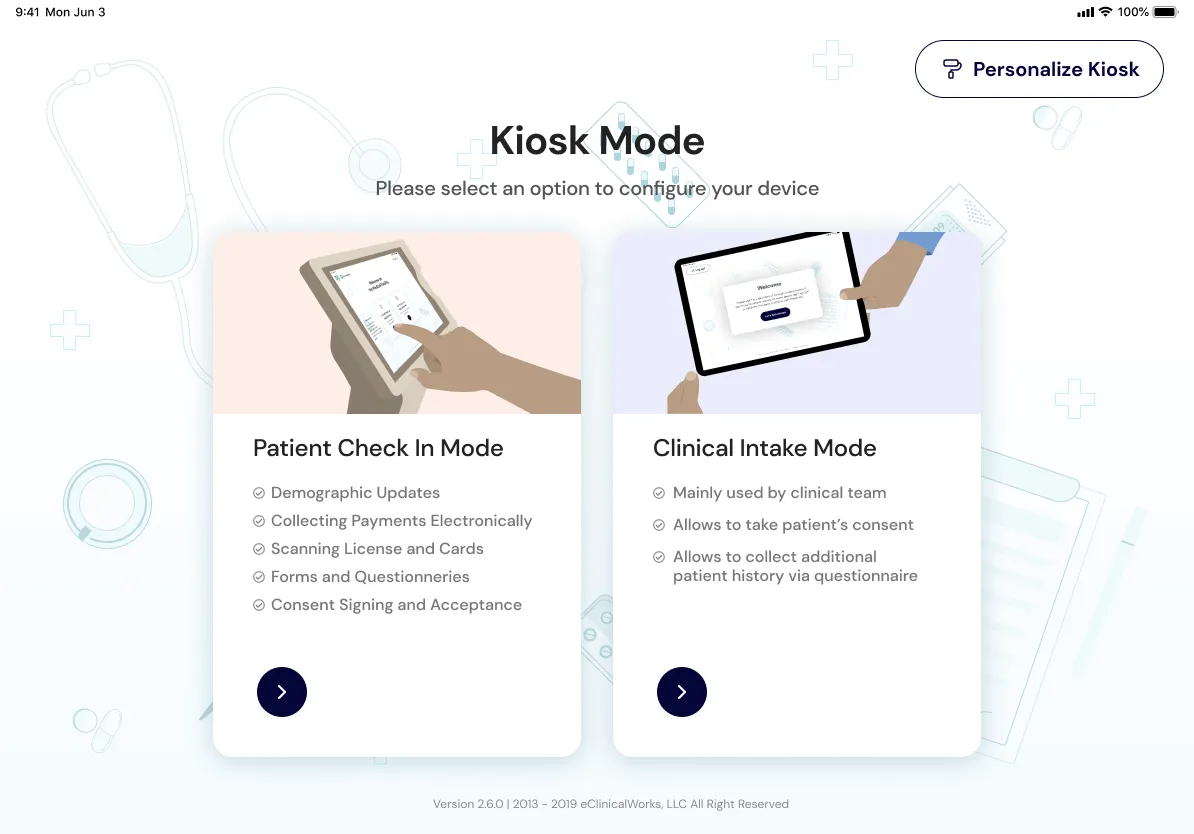
- A single entry point where staff choose what the iPad is for: Device Specific Settings, Patient Intake Mode or Full Kiosk Mode.
Why
Before the redesign, signing in only led to Full Kiosk Mode, and the practice-facing view was a separate app with its own login. We brought all three together, so setting up an iPad works the same way whether it’s staying with the staff or going to a patient as a kiosk.
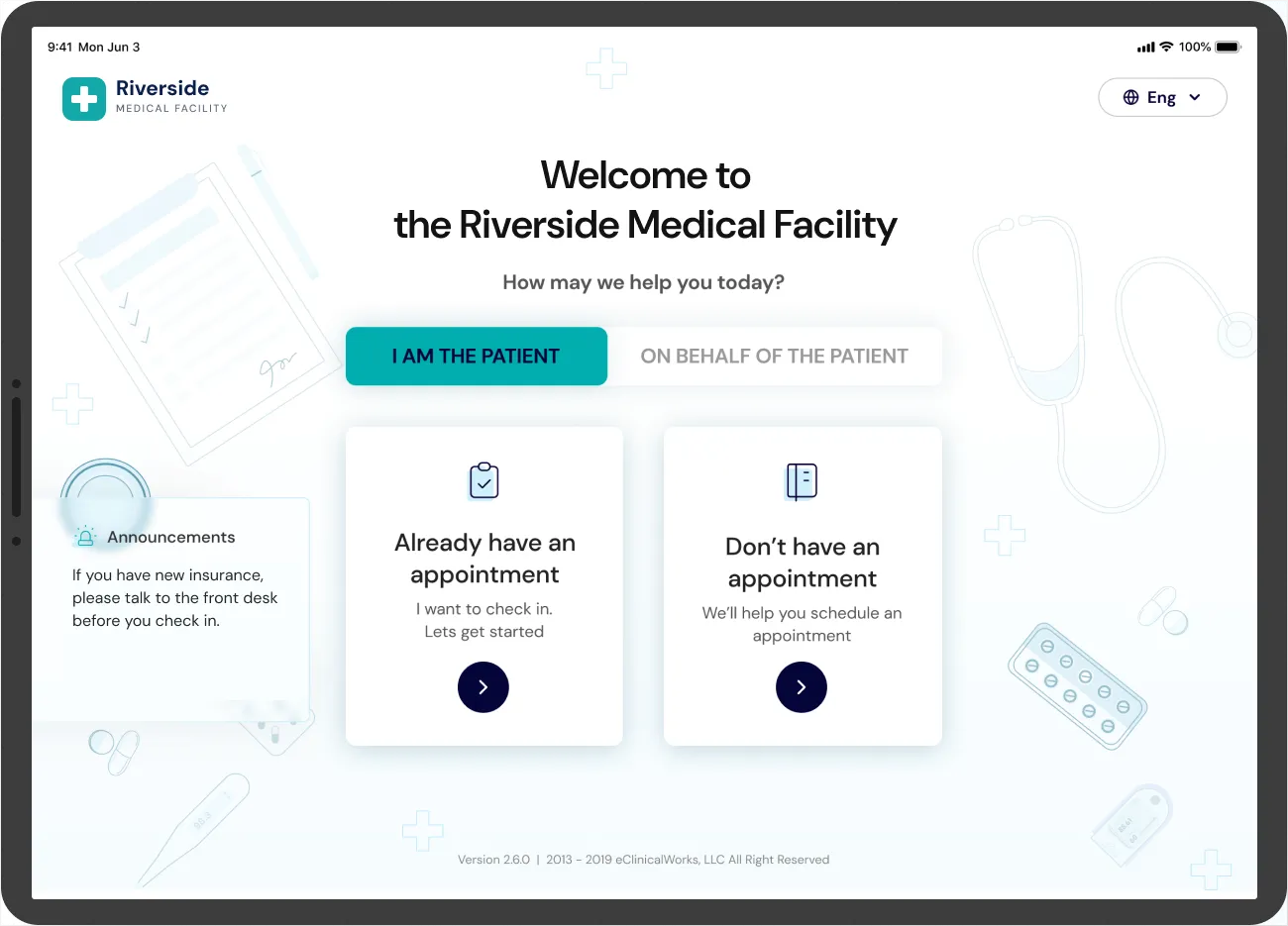
Decision 02
Identifying the patient, made easy
- On the table
- Keep the existing identification screens
- Redesign each method as one clear choice with a short step behind it
- What I chose
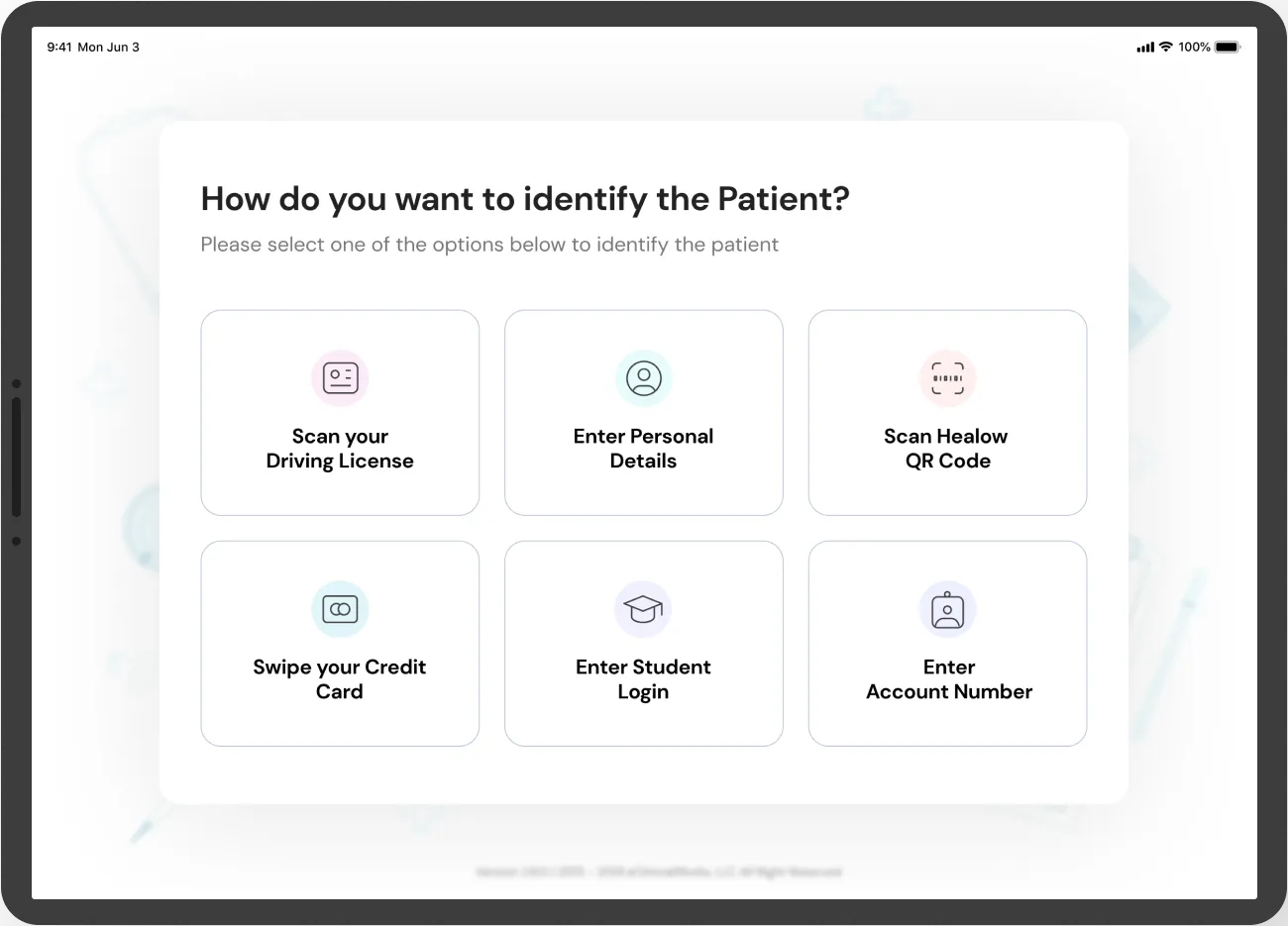
- The same ways to identify as before, redesigned so each one is a clear choice with a short, focused step behind it.
Why
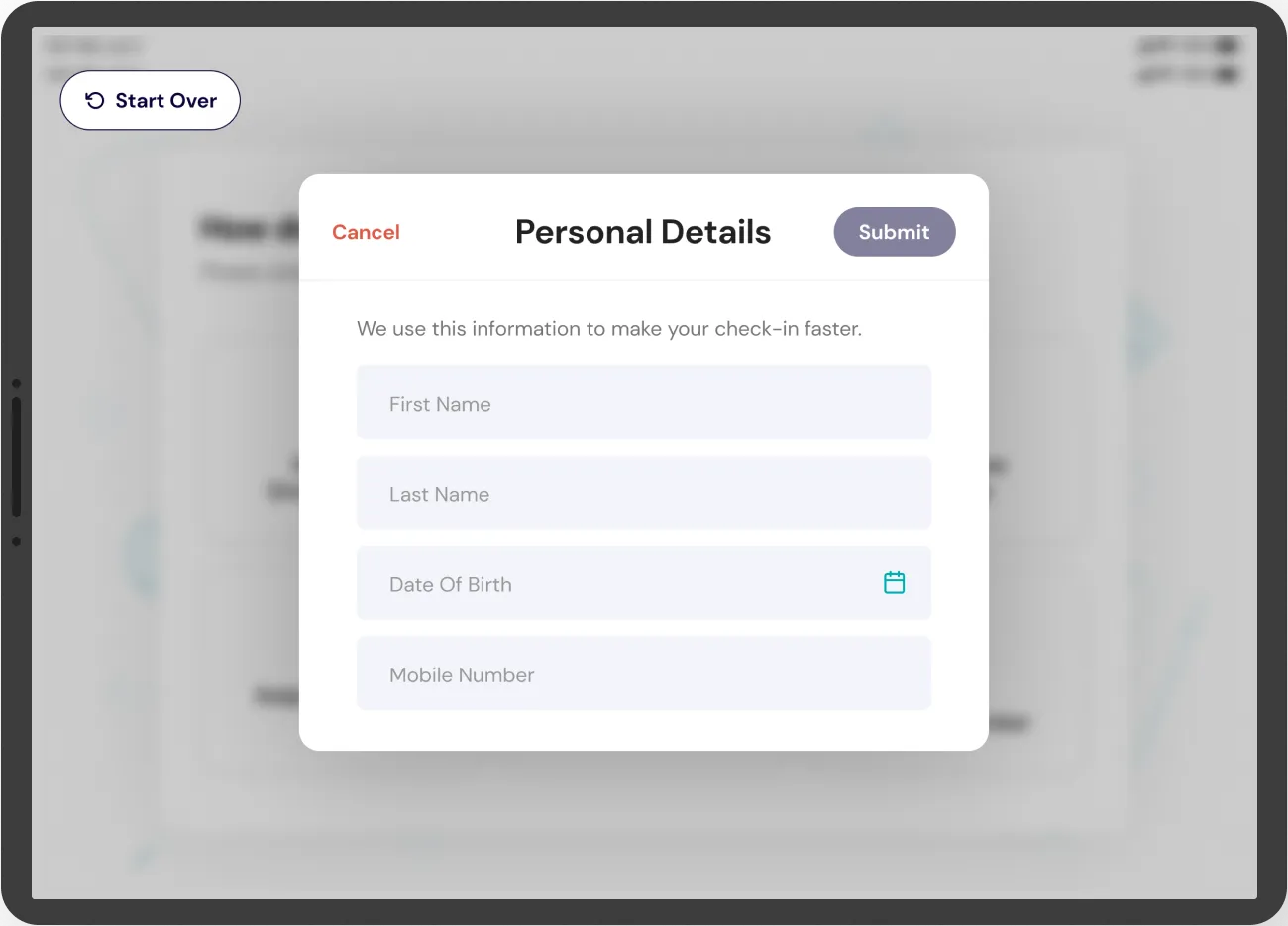
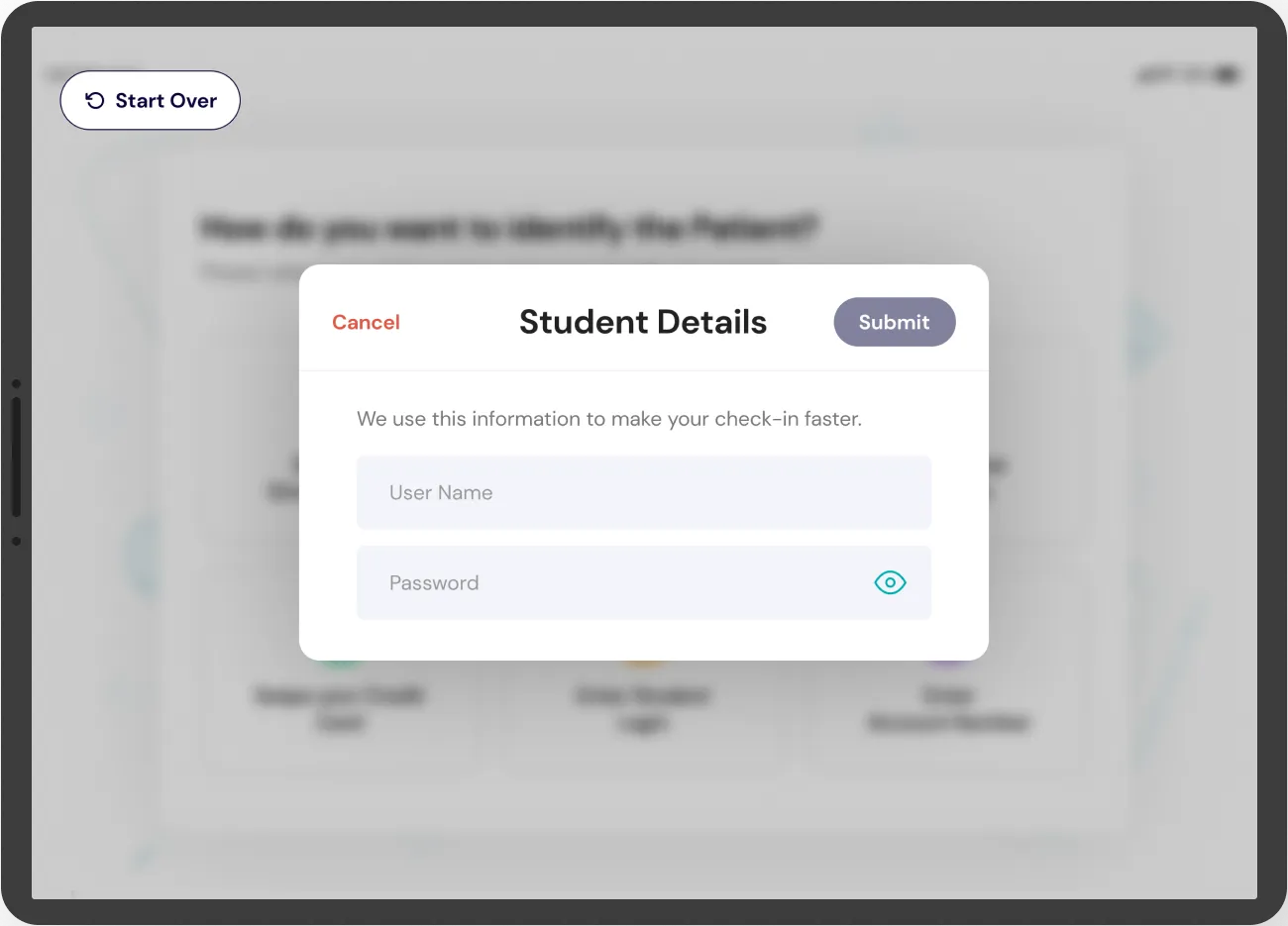
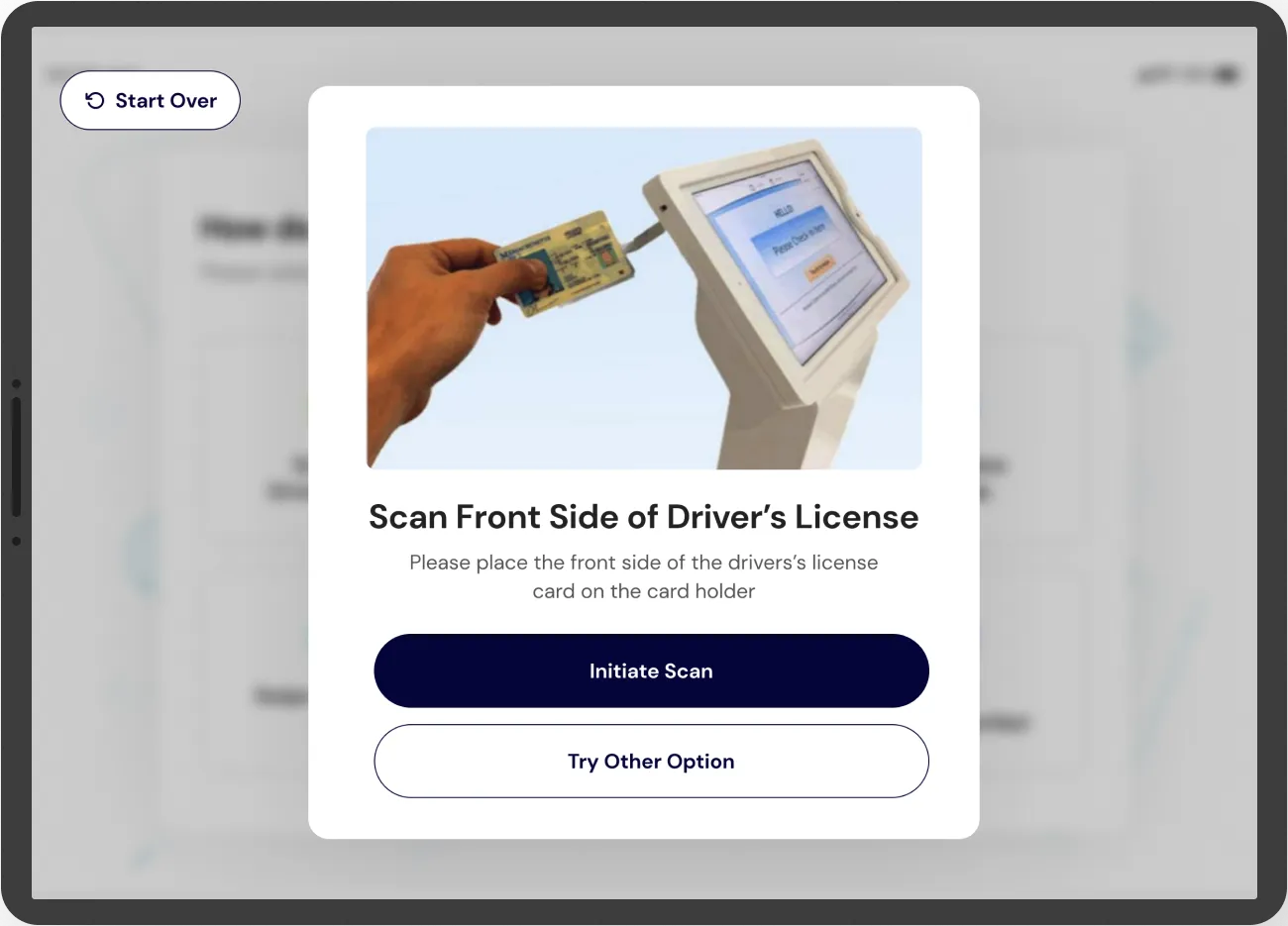
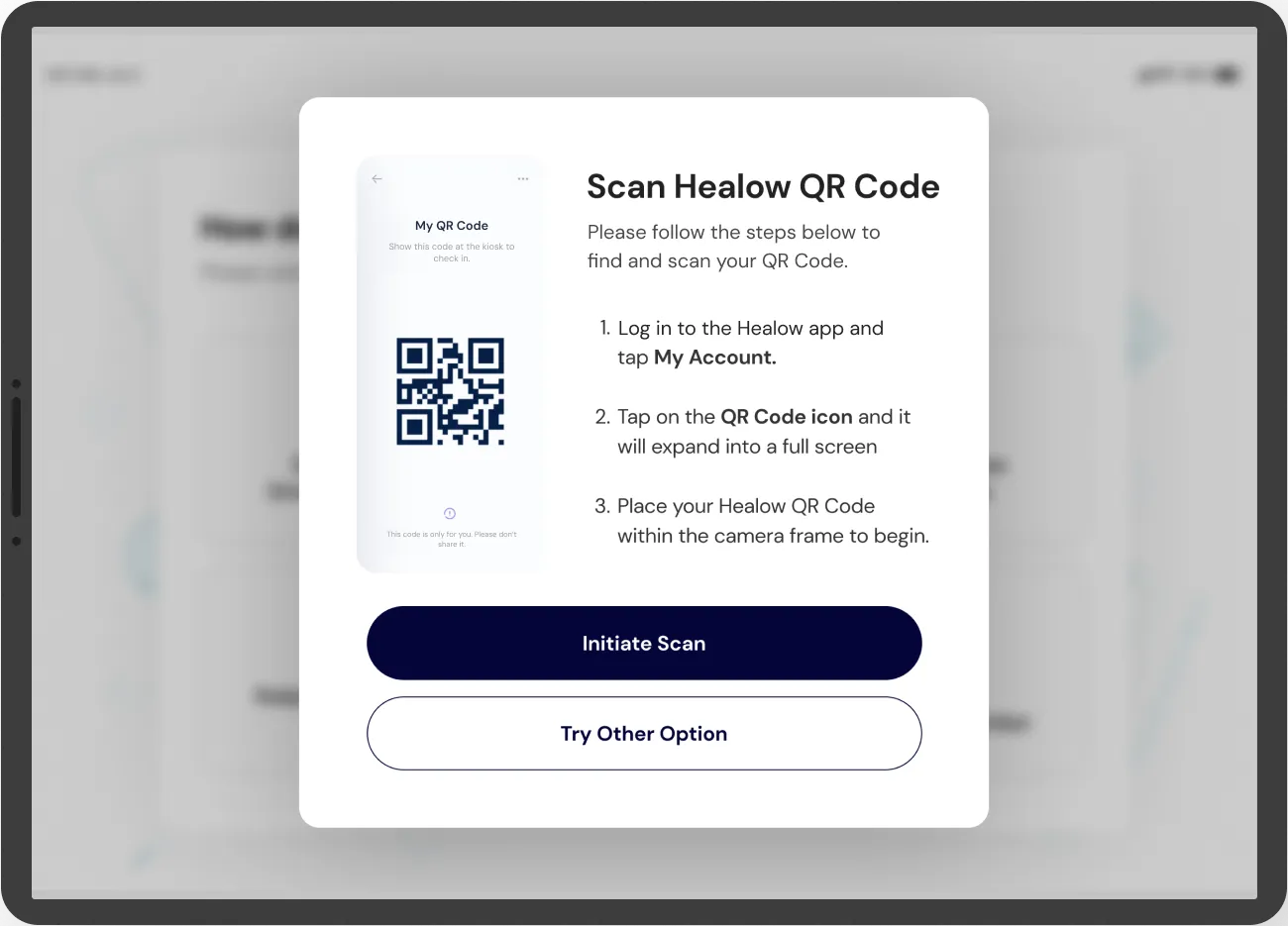
Patients could already identify themselves in several ways, but the screens were hard to follow and slightly more complex than they needed to be. It was hard to add your information while onboarding, and hard to identify yourself at check-in after booking an appointment on the phone app. The redesign starts with one question, “How do you want to identify the Patient?”, and each answer opens a single short form or scan: personal details, a student login, the front of a driving licence, or the Healow QR code from the app.
Decision 03
Brand freedom, with a contrast check built in
- On the table
- Let practices pick any colours
- Lock practices to a fixed palette
- Free choice, with a contrast check to hand
- What I chose
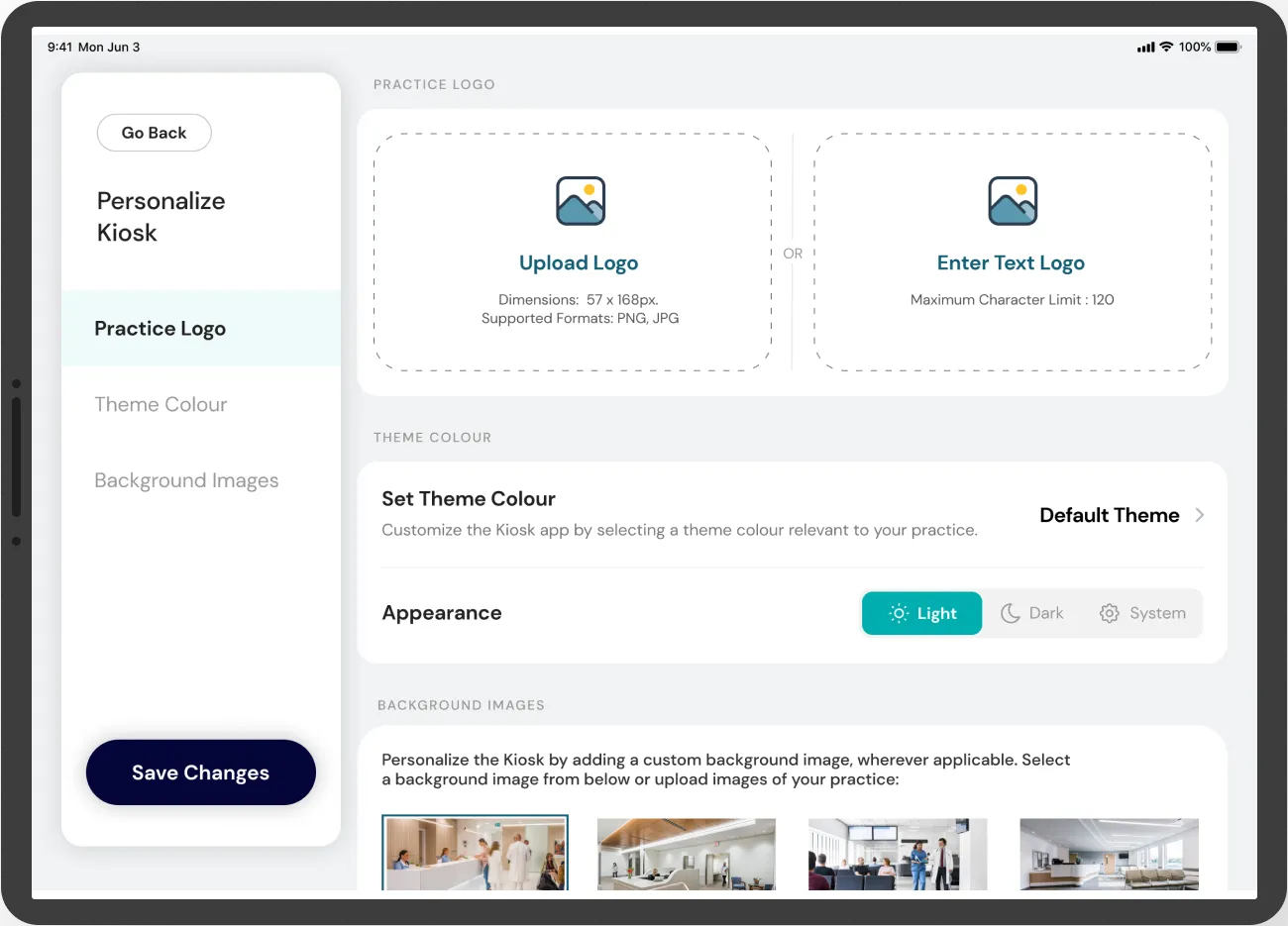
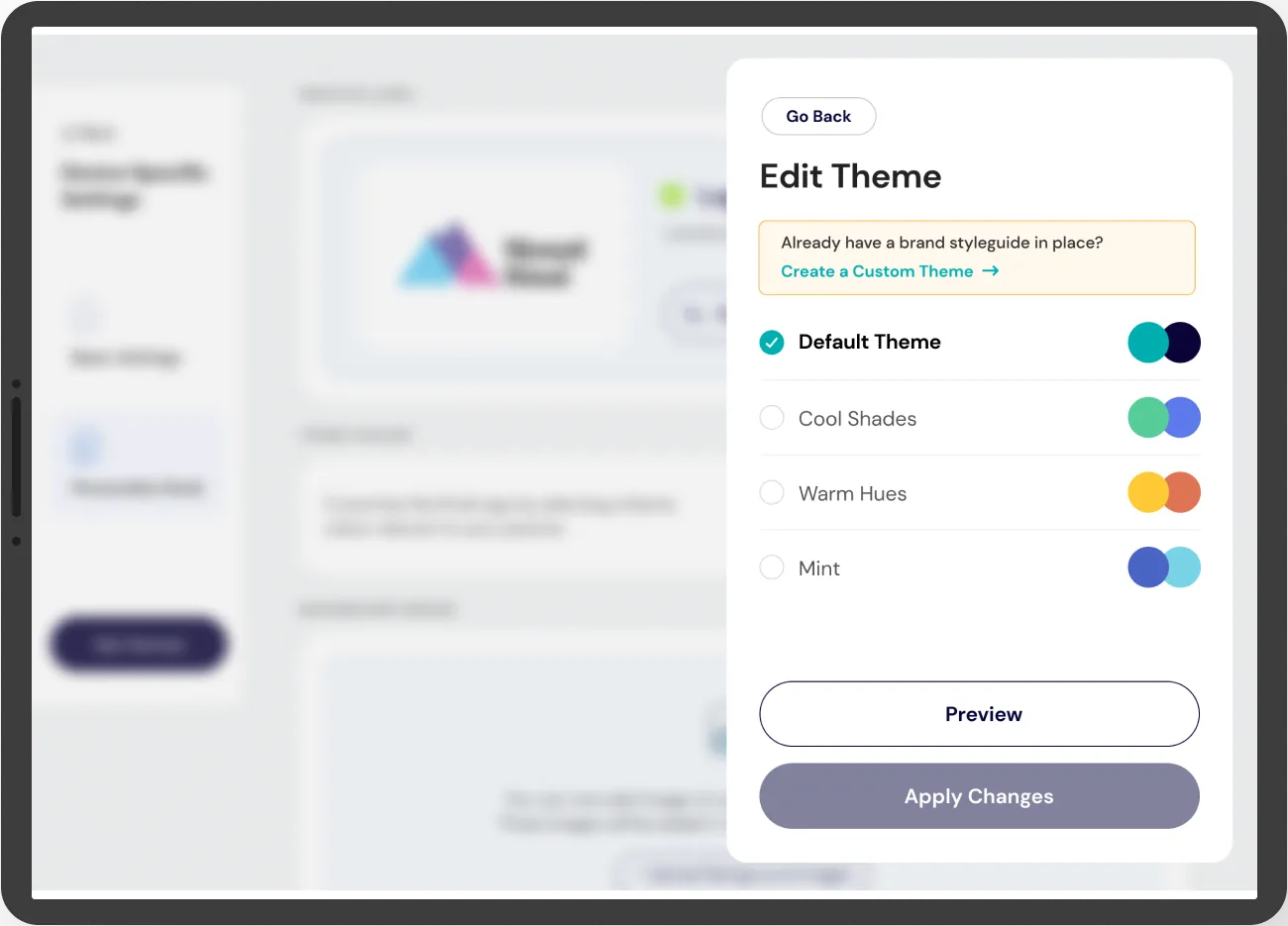
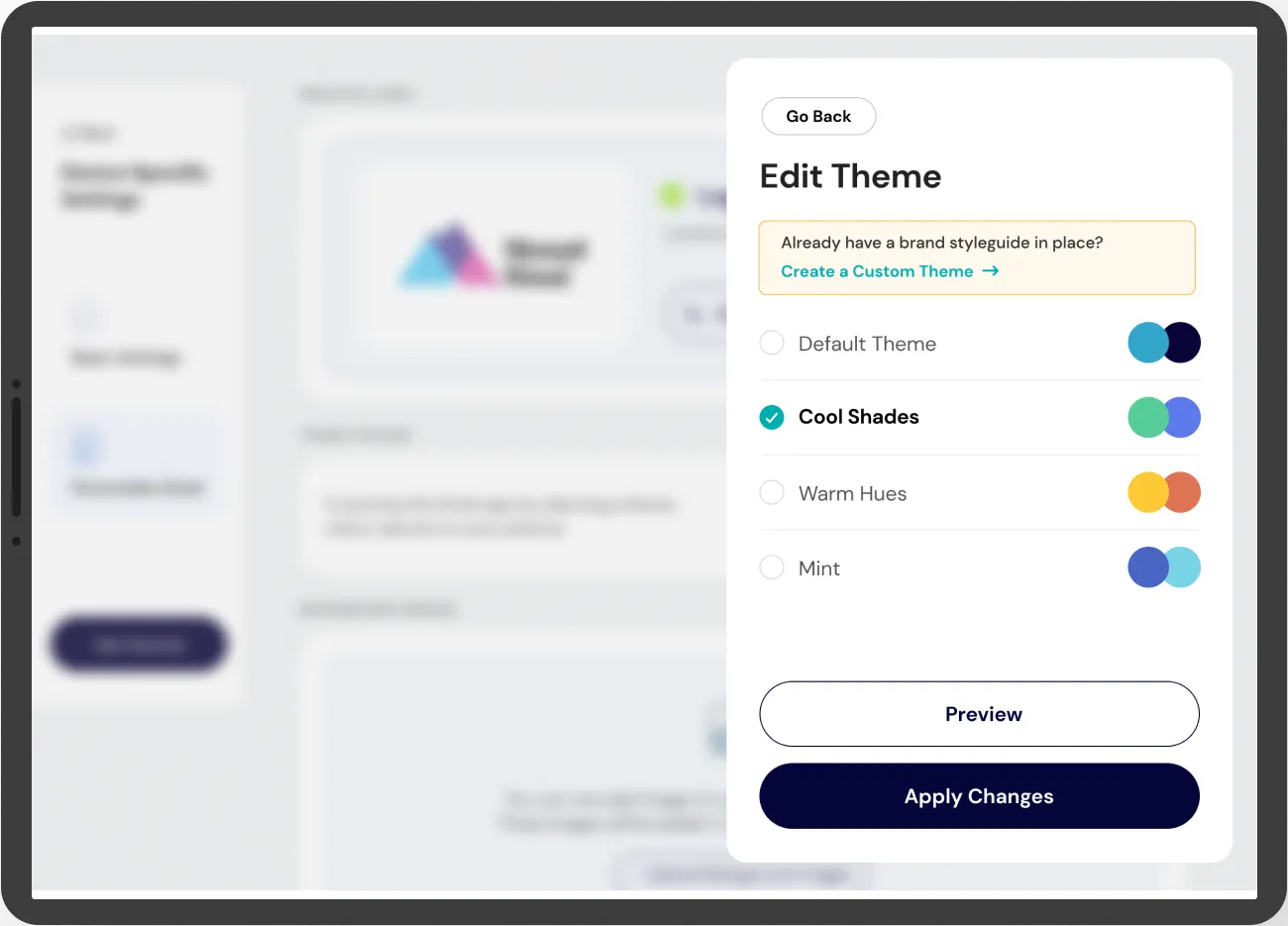
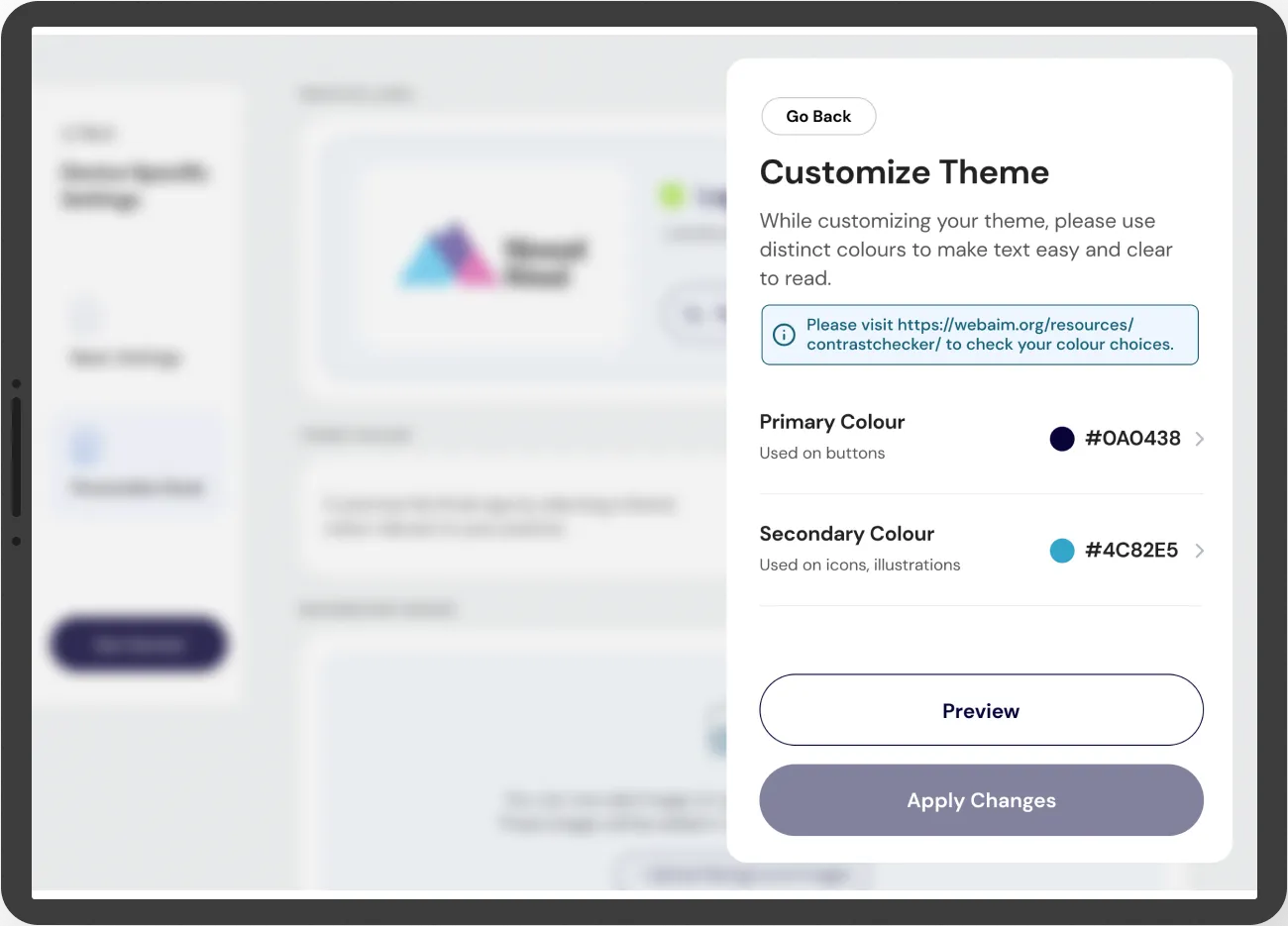
- A default theme and three presets that only change the colour of CTAs and icons, plus custom colours for practices with their own brand, with a contrast checker linked right where they pick them.
Why
Healow was third-party software the practice used, and until then the kiosk carried Healow’s branding. Patients connect with their practice, not the vendor, so we let practices put their own brand on it. There was a default theme built on our design system, and three presets chosen to be easy on the eyes: Cool Shades, Warm Hues and Mint. A theme only changed the colour of CTAs and icons; nothing else moved.
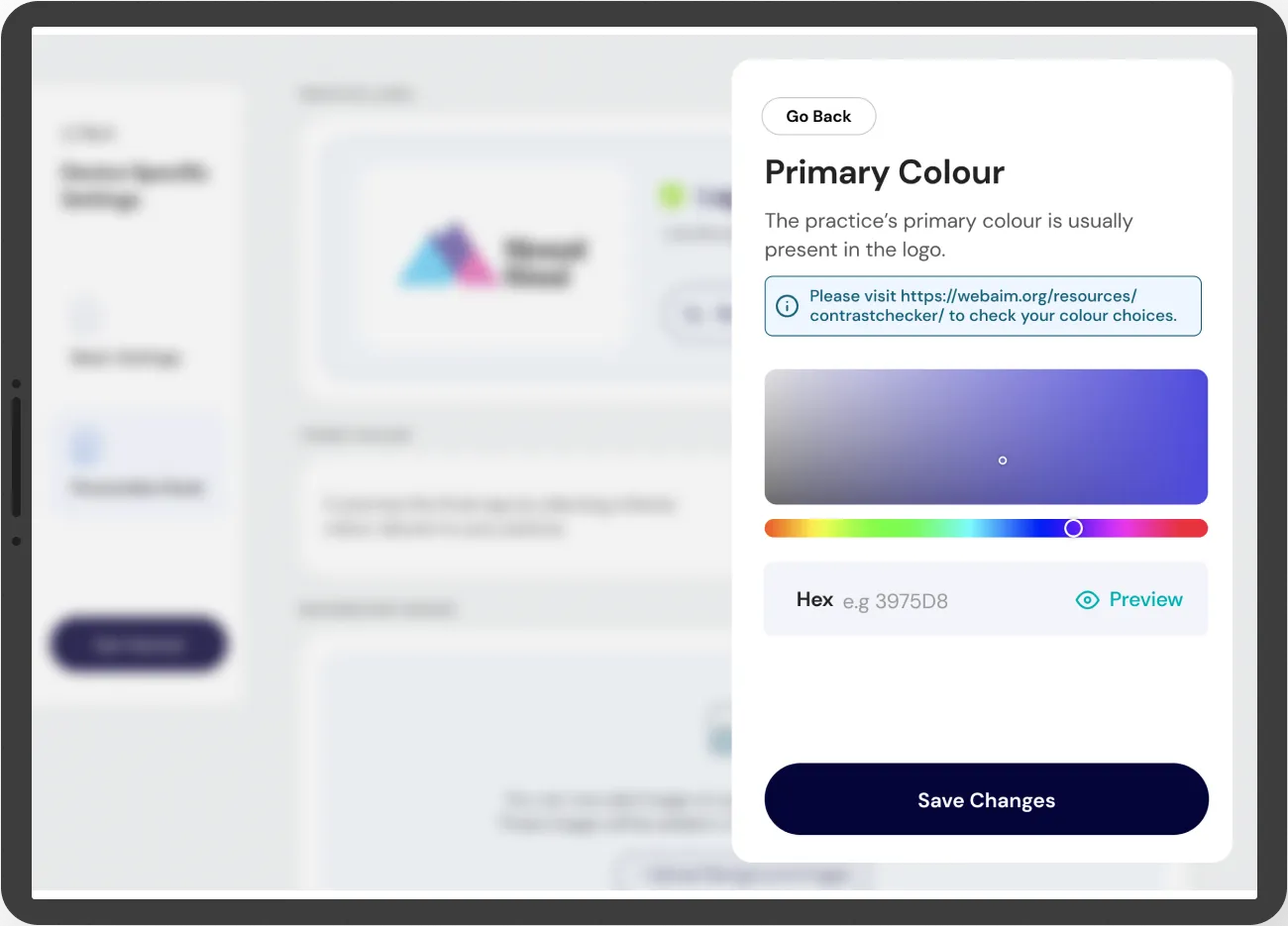
A practice with its own style guide could set custom primary and secondary colours. Because US healthcare is heavily focused on passing WCAG, the colour screens point straight to a contrast checker, and we recommended the AAA standard.
Decision 04
A map of the trip, always visible
- On the table
- No progress indicator
- A horizontal stepper across the top
- A vertical, collapsible map down the side
- What I chose
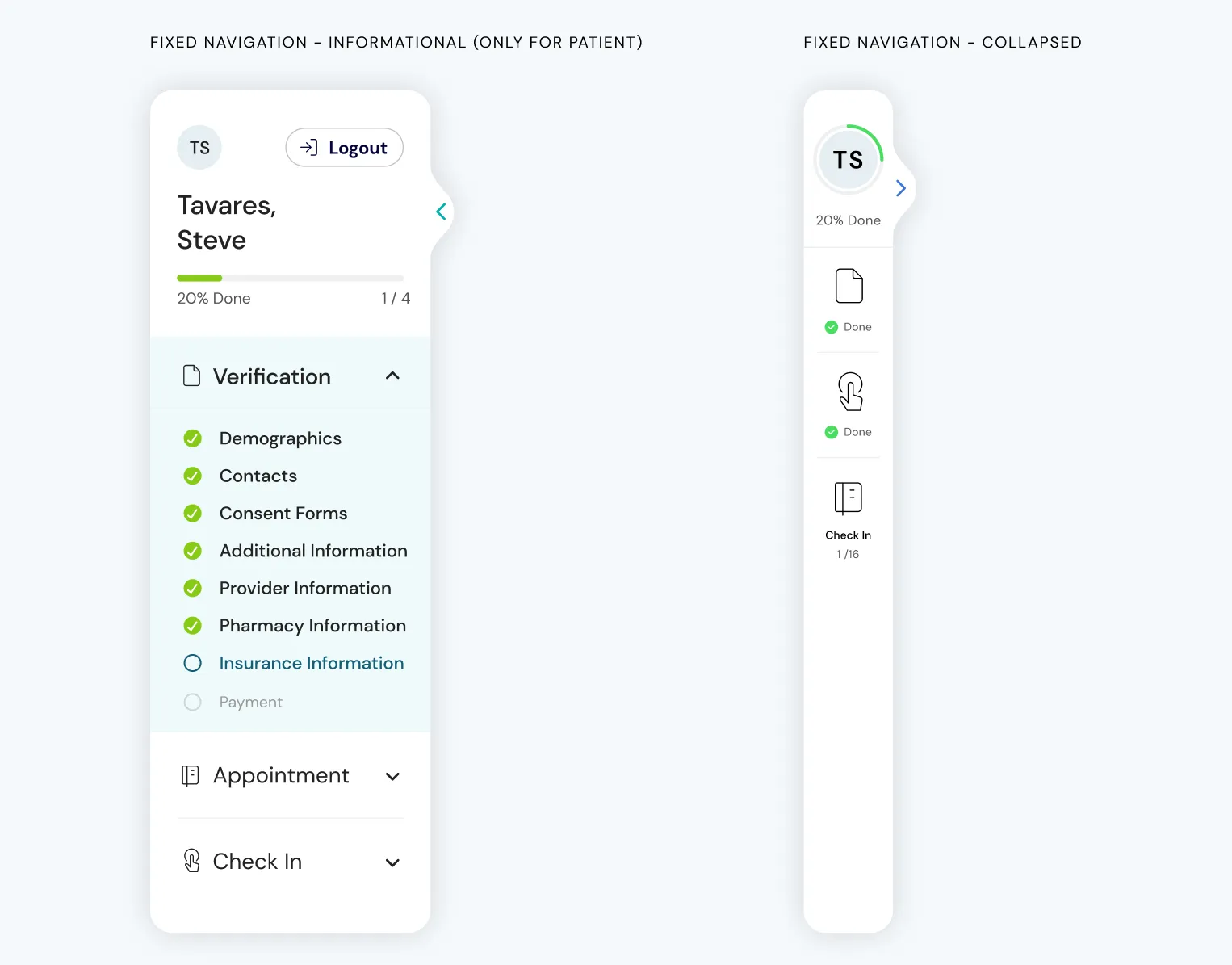
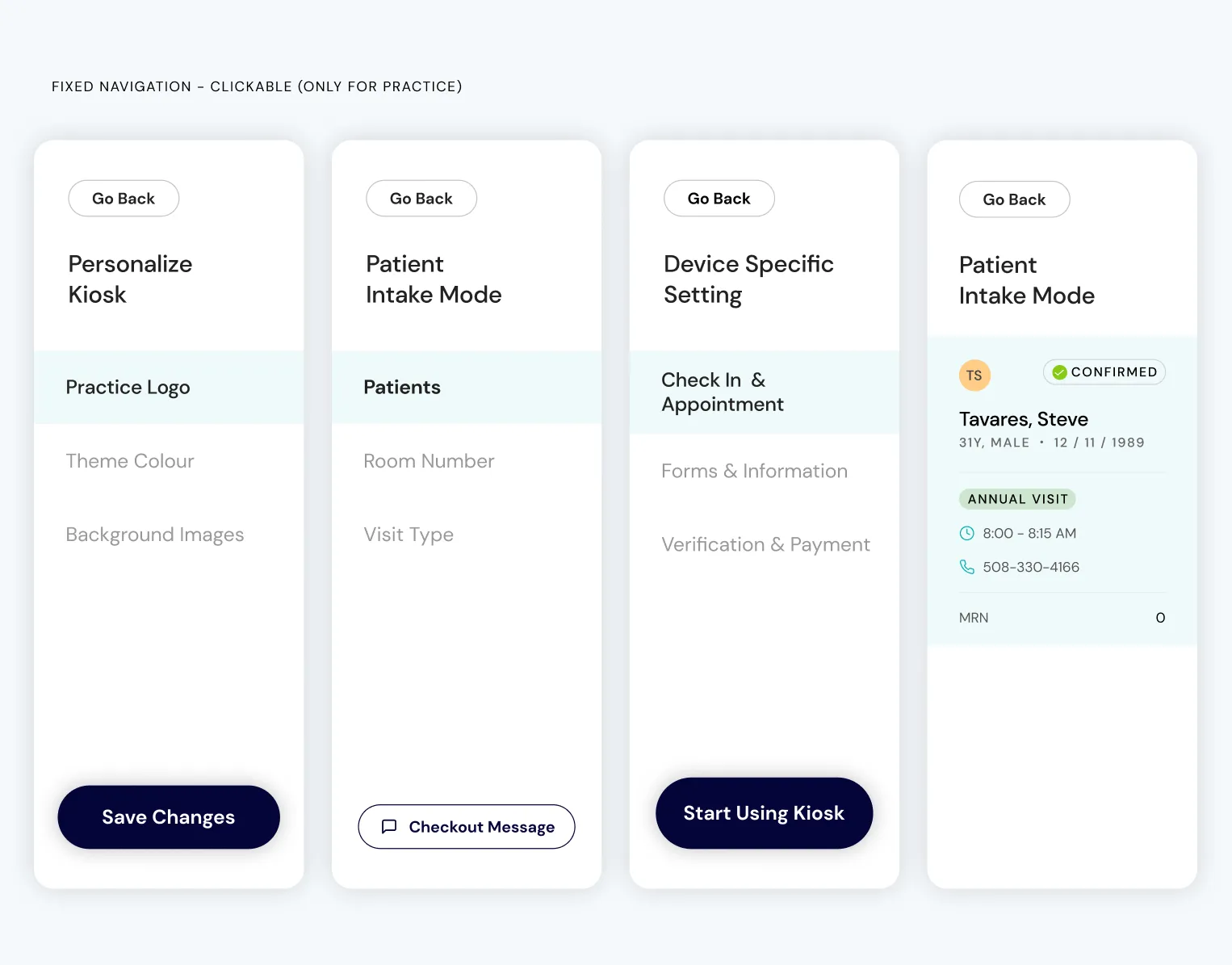
- A vertical side nav on every screen, for patients and for the practice: collapsible, showing where you are and how much is left.
Why
The old design had no navigation at all, so nobody could tell where they were in the process. A patient onboarding had no idea how far they were from the end. We added a side nav to keep everyone informed, whether it was a patient or the practice.
Patients get an informational version: their steps grouped into Verification, Appointment and Check In, each ticked off as they go, with a progress bar and a percentage. It collapses to a slim column when they need the room. Practice staff get a clickable version for moving between sections of Personalize Kiosk, Patient Intake Mode and Device Specific Settings. Vertical because it takes up only a small part of the screen, and a list down the side is easy to scan.
Decision 05
Consent, laid out for the signing hand
- On the table
- Signature under the disclosure
- Signature on the left
- Signature pinned to the right
- What I chose
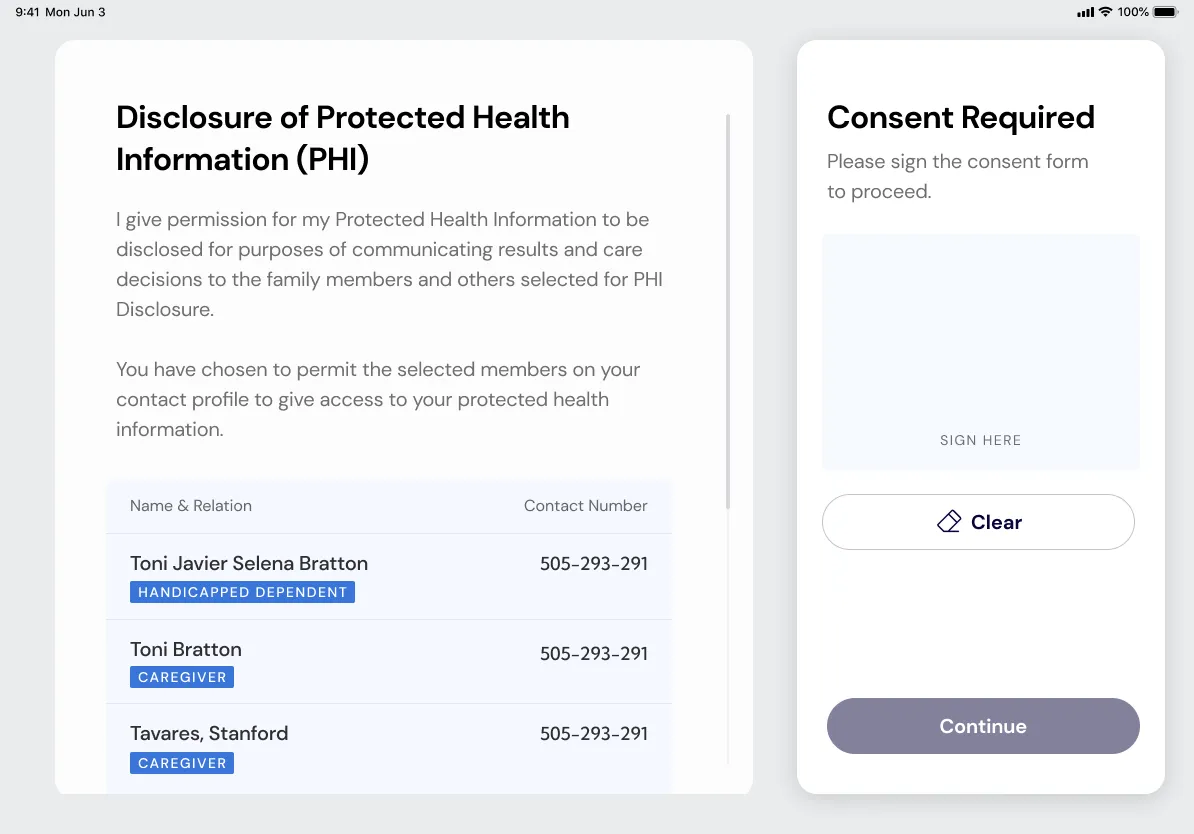
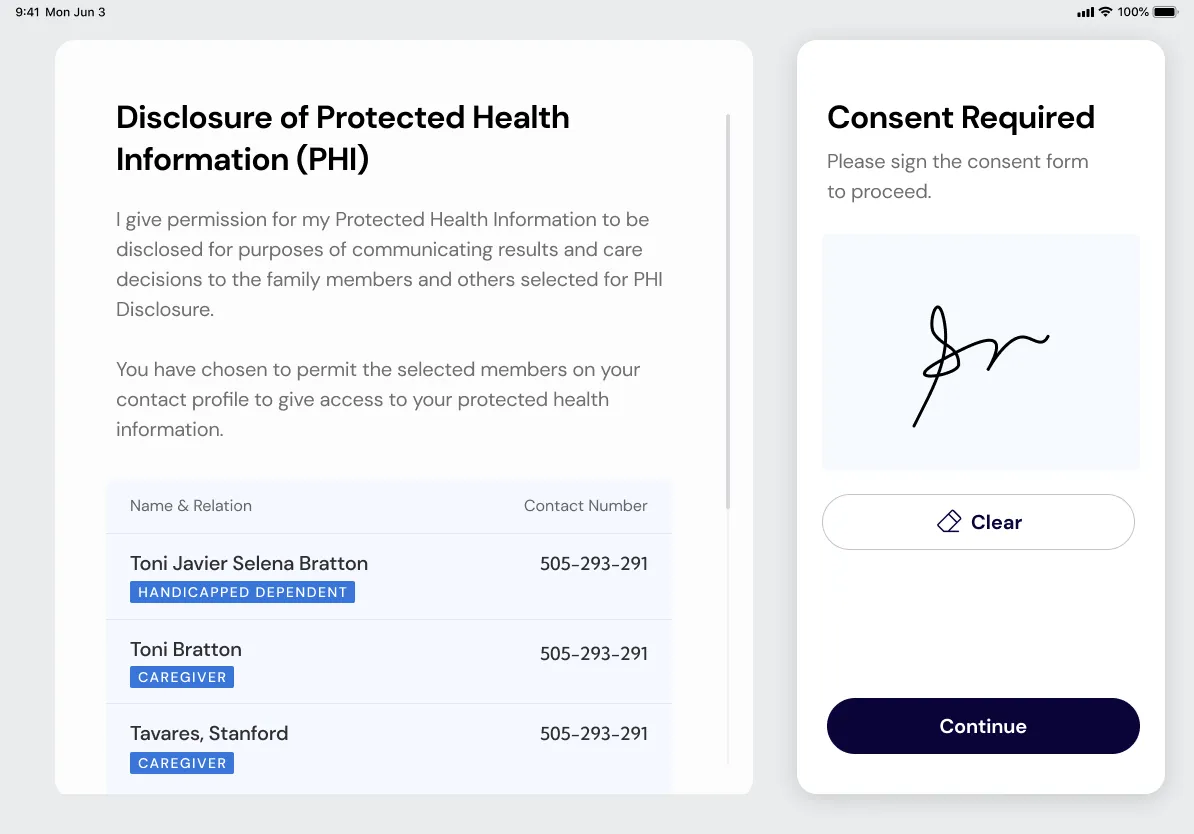
- Scrollable disclosure on the left, signature box pinned on the right.
Why
A small user-observation detail I refused to give up in review: ~90% of users are right-handed. Pinning the signature to their dominant hand cut the “wait, do I sign here?” hesitation. On a kiosk screen, every millimetre of thumb travel matters.
A client who was also a designer
The point of contact from eClinicalWorks was, himself, a lead UX designer. Every decision I brought into a review got interrogated at the same level of rigour I’d have used to interrogate one internally. My team lead at HumanX was on-call for support; day-to-day, the calls in that room were mine to make and defend.
- I got faster at defending decisions with evidence, not intuition. Every recommendation walked into a review with a stat, a study, or an observed behaviour behind it. “This felt right” was never going to survive that room.
- The product got better because of it. The calls I lost were the ones that shouldn’t have shipped; the calls I won were pressure-tested before they made it into a build.
The system behind it
Beyond the interaction design and research, I directly owned:
- The design system: component library, tokens, interaction patterns, documented for the client’s engineering team to consume.
- The motion layer. Animations that taught users what the product wanted them to do next: how to scan an ID card, how to make a payment, how to identify the practice they’d walked into. The motion was there to show people what to do next.
- The dark-theme palette. Colour-tested against WCAG and documented, so the accessibility check for that palette was closed before compliance ever opened the conversation.
- UX and UI end-to-end, with UI production support from my co-designer at HumanX so we could hit the timeline.
Foundations
Rendered here from the style guide’s real values rather than as screenshots.
Colour
Three brand colours, each with one job: blue for buttons, teal for icons you can tap, green only for text links. The six pale tints come from Healow’s website palette and sit sparingly behind icons.
Primary
- #040438Healow Blue19.5:1 AAA
- #32A5C9Healow Teal2.9:1 low
- #145F76Healow Green7.2:1 AAA
Secondary
- #EFF6FFLight Blue
- #E8FCFCPale Green
- #FFEFFFBaby Pink
- #F1F1FFPale Lavender
- #FEFAD3Morning Sun
- #FFF2EEDusty Orange
Neutrals
- #222222Grey-215.9:1 AAA
- #333333Grey-112.6:1 AAA
- #555555Dark Grey7.5:1 AAA
- #999999Light Grey2.8:1 low
Alerts
- #87CB17Success2.0:1 low
- #DE5946Error3.7:1 AA large
Contrast shown against the kiosk background, #FFFFFF.
The kiosk also ships in a dark theme, and every colour has a partner in it. Flip the switch, or click either strip, to see the screen change with it.
Light and dark tokens
Type
Typeface
DM Sans
- Regular 400
- Medium 500
- Bold 700
- How do you want to identify the patient?
- How do you want to identify the patient?
- How do you want to identify the patient?
- How do you want to identify the patient?
- How do you want to identify the patient?
- How do you want to identify the patient?
- How do you want to identify the patient?
- How do you want to identify the patient?
- How do you want to identify the patient?
Grid
- Columns
- 12
- Margin
- 29
- Gutter
- 16
Components
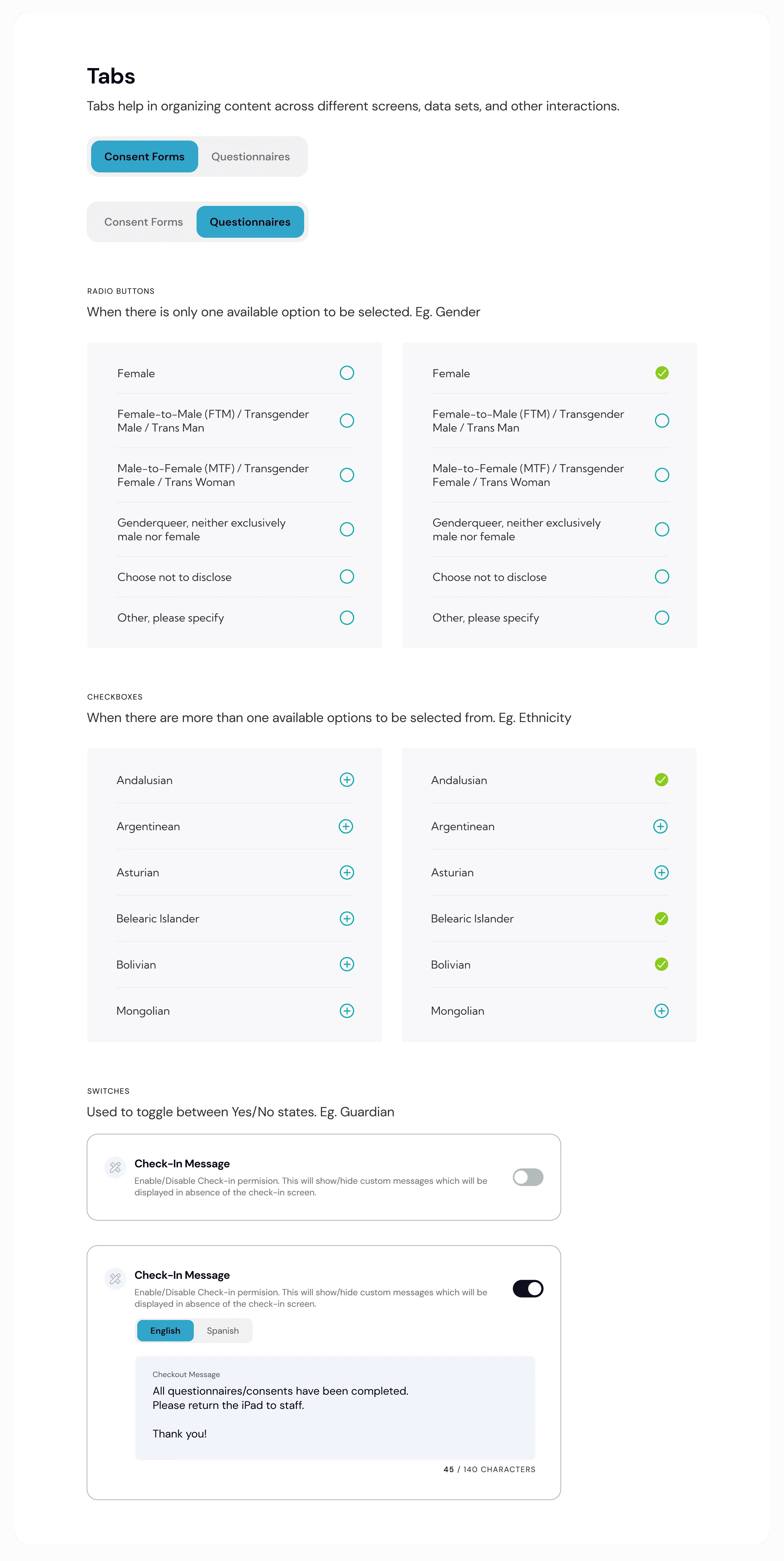
The buttons and fields below are built live from the style guide. On an iPad every touch target is at least 54px, and fields are 72px tall; they’re scaled down here to fit the page. Buttons are pills in Healow Blue, and each field’s label moves above the value once something is typed.
Primary
- Large
- Small
- Disabled
Secondary
- Large
- Small
- Disabled
Tertiary, text and the floating panel
- Tertiary
- Text button: the icon takes its colour
- Floating panel
- Floating panel, disabled
Input fields
- Empty
- FilledKiosk Practice ID
- Password, filledPassword
Dropdowns and large fields
- Dropdown, filled: opens a side panel, not a menuSexual Orientation
- Large field, filledReason for HospitalizationAcute anterolateral myocardial infarction, complicated by mild left ventricular dysfunction45 / 255 characters
Search
- Empty
- Typing
- Filled
Results
The redesigned kiosk shipped as Healow’s patient self-check-in product inside the eClinicalWorks EHR suite. The project came through HumanX, and my part ended at design-vs-dev QA, so I don’t have numbers from after launch, and I’m not going to invent them. What I can point to is what the design was built to do:
- Theming, so a practice could make the kiosk feel like its clinic, not a generic vendor product.
- A dark-theme palette, WCAG-documented before compliance review, so accessibility had answers before anyone asked.
- Six identification methods, so a practice wouldn’t have to bend its intake workflow to adopt the kiosk.
What I learned
- Predictability calms people more than reassuring copy does: each next moment should be one the patient could have guessed.
- Serving patients and practice staff from one product came down to the design system. Every configurable surface had to hold up for both.
- Accessibility guardrails belong inside the tool the customer is using, not in a separate settings screen.
- A designer client who challenges you is a gift. Show up with the evidence, or don’t bring the idea.
What I’d do differently
Widen the visual exploration, earlier. When we got stuck between two directions, the two of us kept grinding on it alone. HumanX had other designers we could have pulled in for a short exploration sprint: an afternoon of fresh eyes across three or four teammates would have saved a month of the two of us circling. Next time I’d call for a shared visual jam the first day I could feel us slowing down.
Credits
- Client-facing design lead: myself
- Team lead / oversight: my lead at HumanX
- UI production support: my co-designer at HumanX
- Client: eClinicalWorks / Healow (the POC was their in-house lead UX designer)