Contxt (via HumanX) · 2021
ContxtDesigning trust into a co-browsing platform
A SaaS product that lets support teams see, guide and even take control of a customer's browser. I designed V1 so that letting someone onto your screen felt like a handshake.
- Role
- UX designer at HumanX, primary designer
- Client
- Contxt (via HumanX)
- Timeline
- 2 months, 2021
- Platform
- Agent console (web) · customer widget (web + mobile)
The context
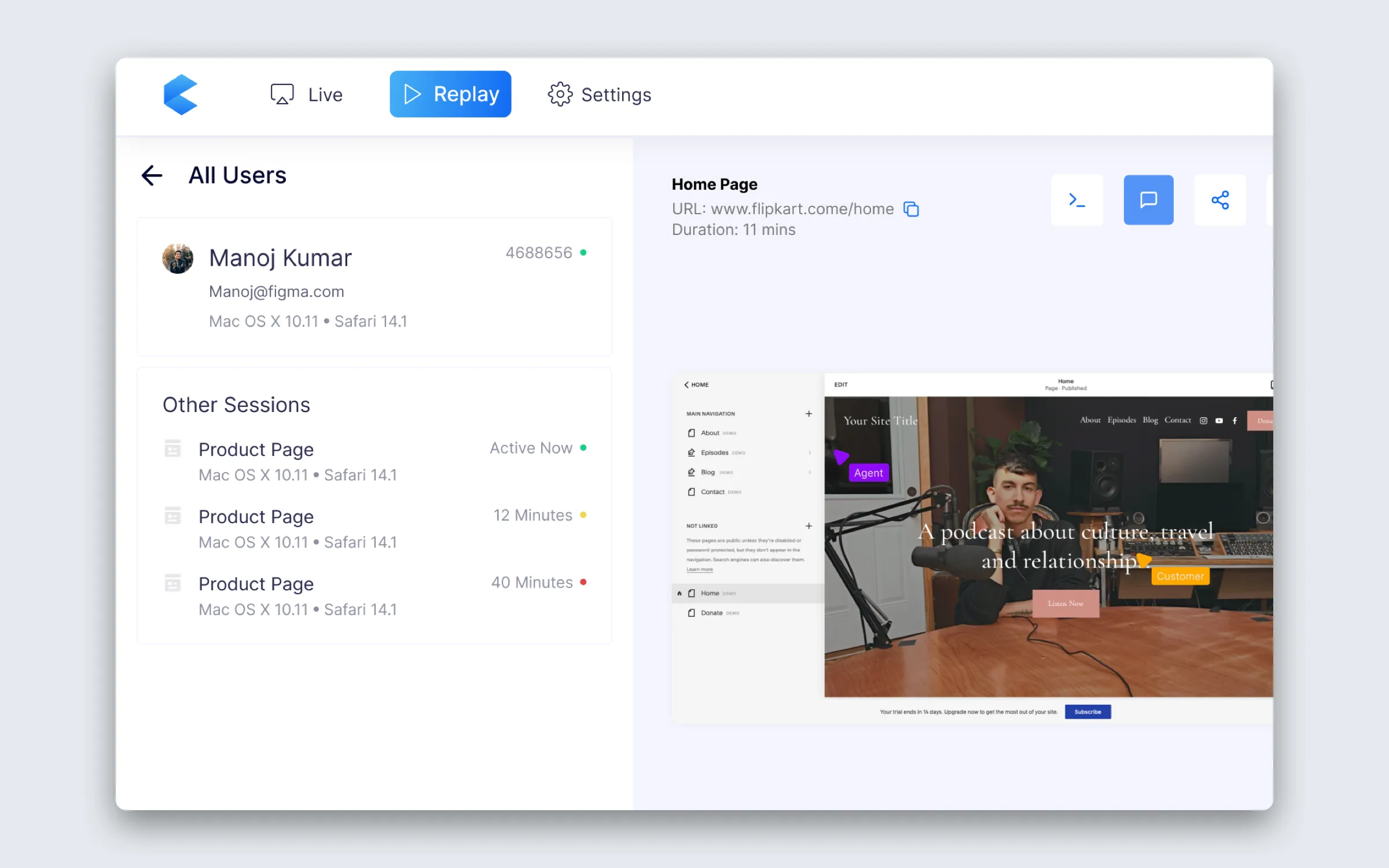
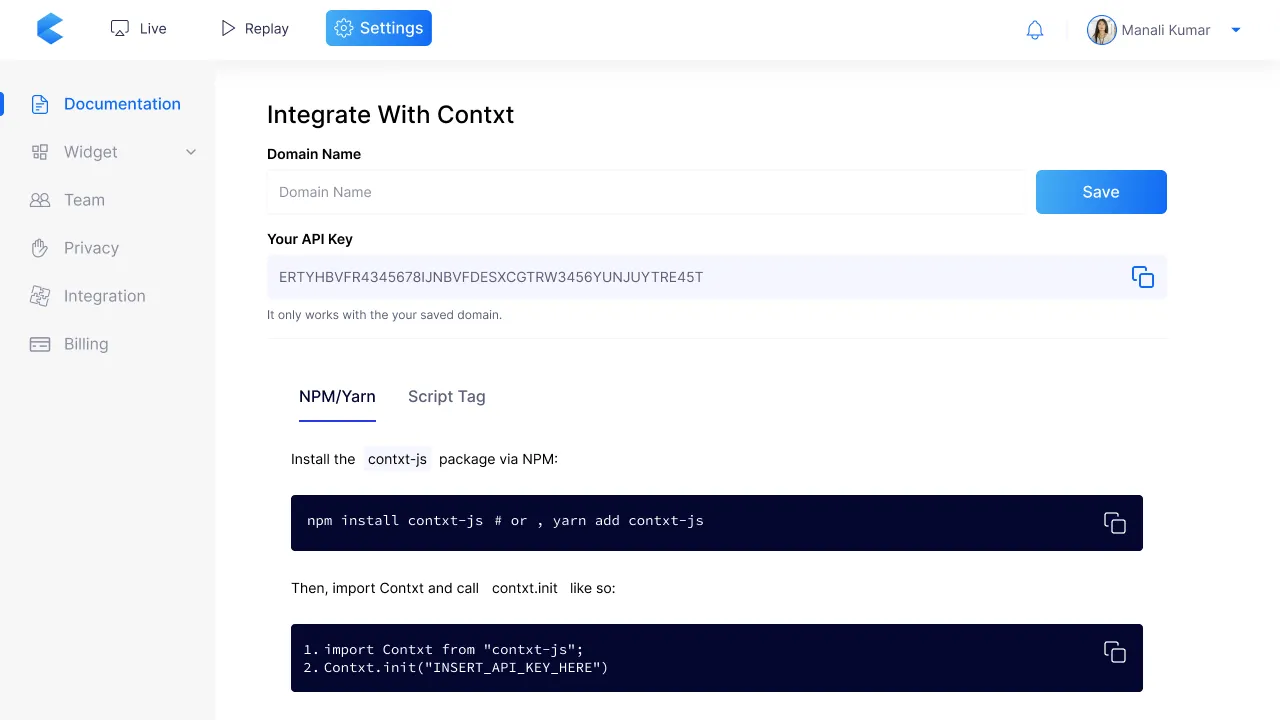
Contxt is a SaaS co-browsing platform. A business adds five lines of code to its site, and its support agents can watch a customer’s live session, call them from inside it, take control of their browser with permission, or replay the session later to see where it went wrong.
It was built for teams whose sales and support both depend on the same thing: seeing what the customer is actually doing when the words on the phone stop matching the screen.
Half the design work was about how people felt. Customers worry about being watched (“what else can they see?”) and about their data (“what if the agent sees my card?”). Agents worry about the mirror image: seeing something they shouldn’t, and being blamed for it. If either side feels uneasy, nobody uses the feature, however well it works.
So every screen was measured against one idea: letting someone onto your screen should feel like a handshake, not a takeover.
The four decisions below shaped it most. I also designed the logo and the landing page, where most of the illustrations come from.
Key decisions
Decision 01
Private stays private
- What I chose
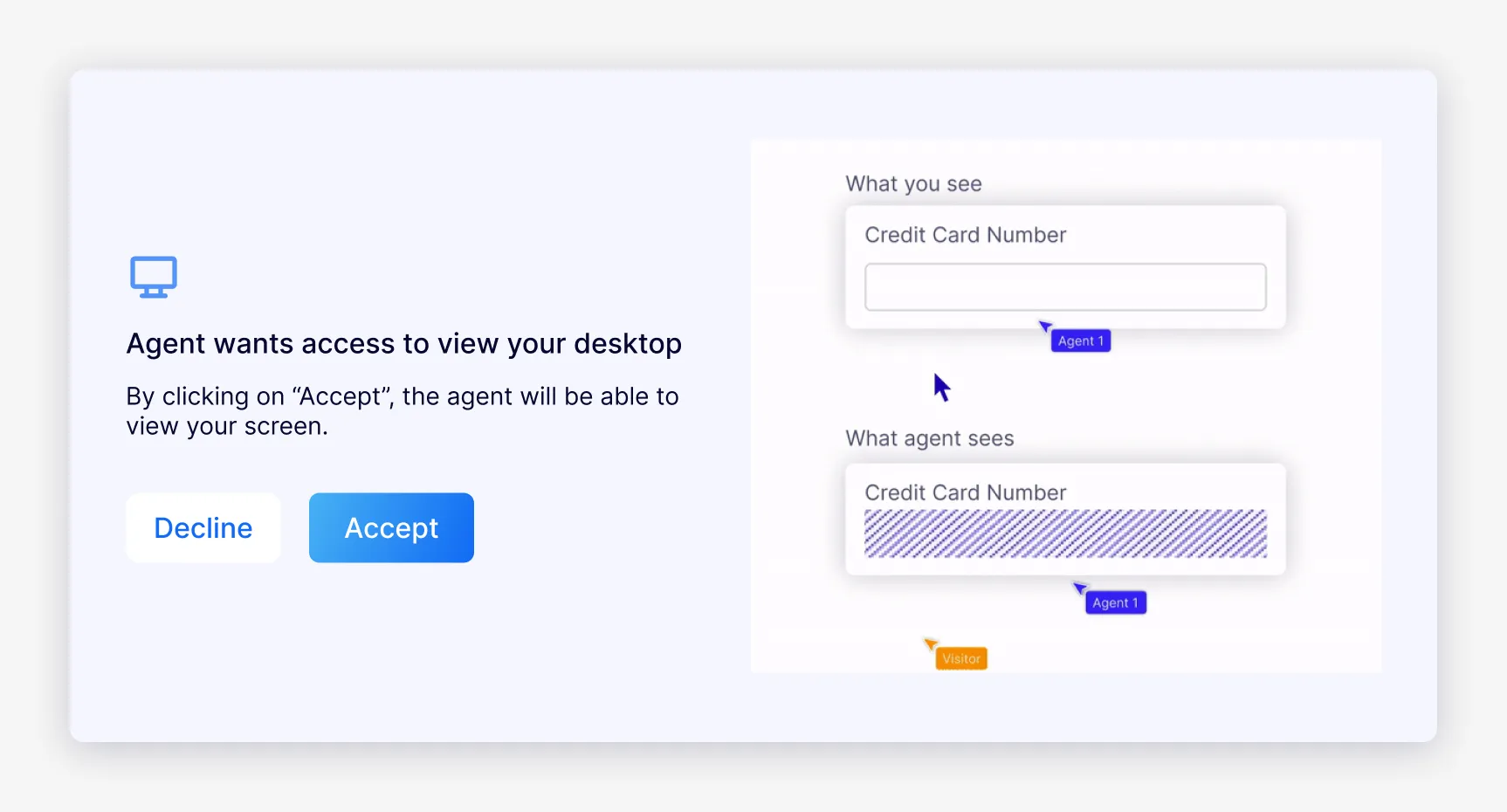
- Sensitive fields are hidden from the agent, and on a sensitive page the customer sees exactly what the agent will see before saying yes.
Why
Customers’ biggest worry was an agent seeing their card. So on a page like checkout, the request didn’t just ask for access: it showed the customer their screen the way the agent would see it, “What you see” beside “What agent sees”, with the card number hatched out. Knowing your data was safe before agreeing, not after, was the top priority. On an ordinary page, the request simply asked.
In V1, passwords were hidden from agents by default, and businesses chose which other fields to hide, such as bank and card details. I come back to that at the end.
Decision 02
Who knocks first
- On the table
- The agent reaches out first
- The customer rings for help
- What I chose
- Only the customer could start a call. Agents could watch a session live, the way heatmap tools record one, but the conversation always began with the customer pressing the Doorbell.
Why
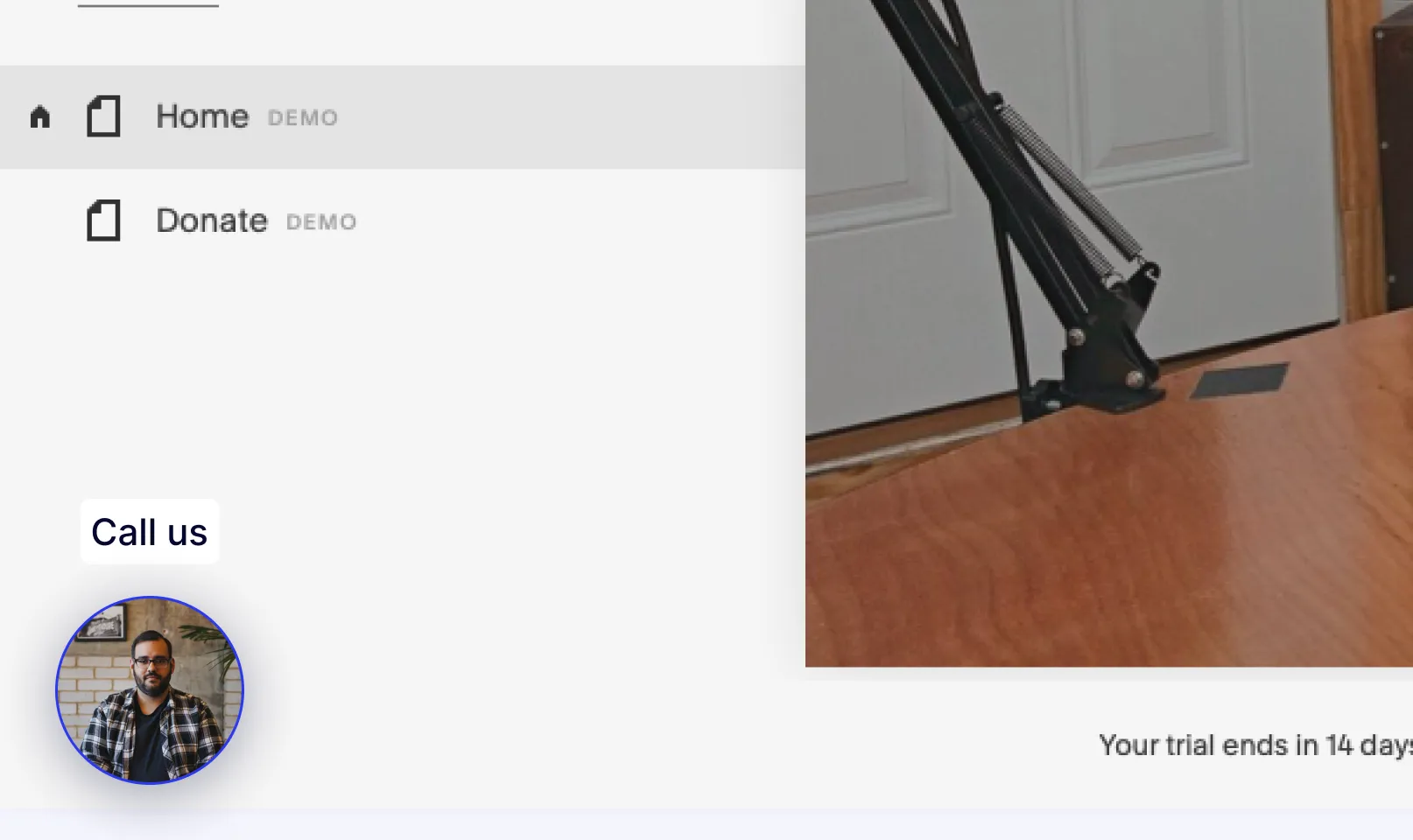
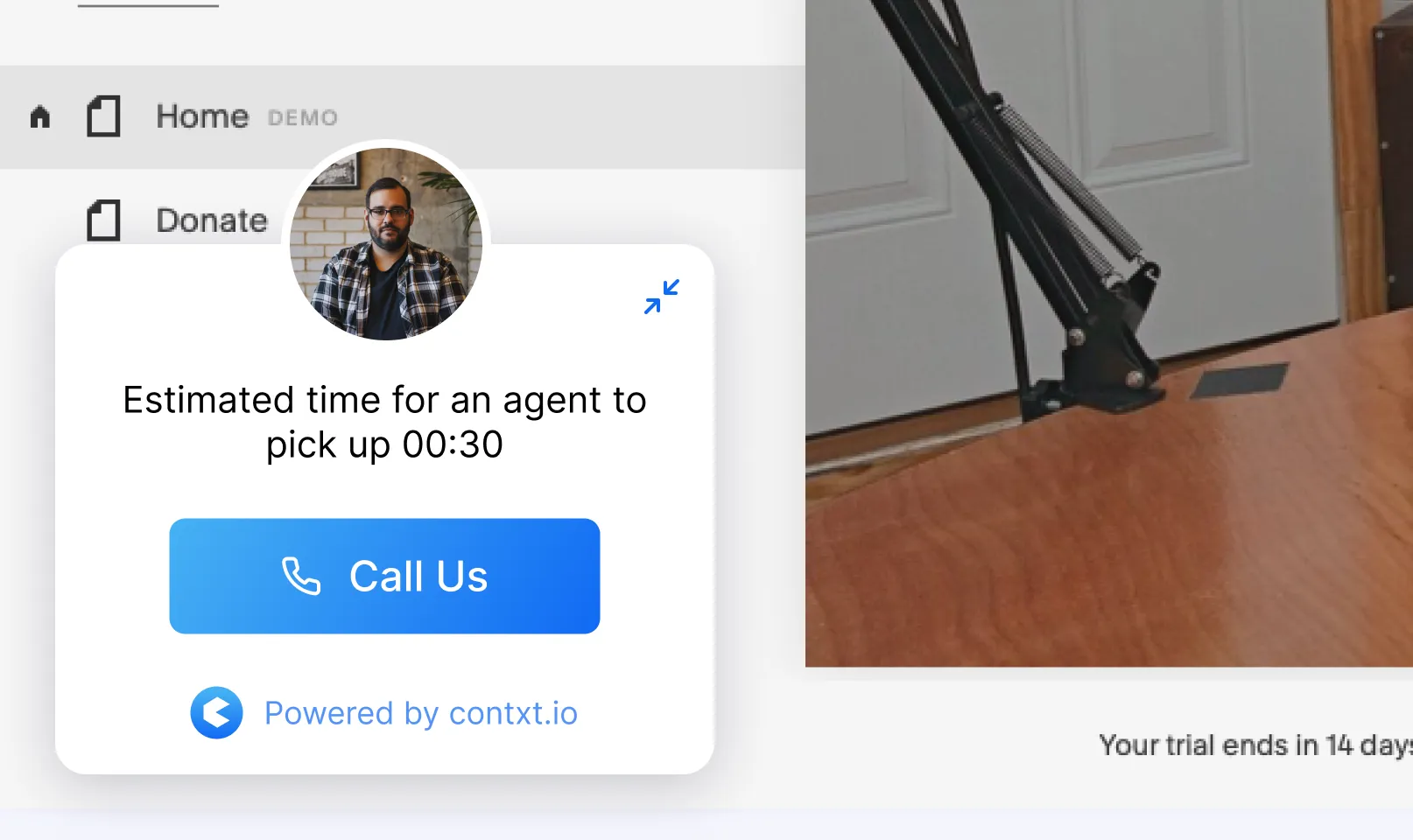
The first idea was agent-first: support spots someone struggling and reaches in. We dropped it because it meant interrupting whatever the customer was doing, which is exactly the invasive feeling co-browsing has to avoid. At rest, the Doorbell is a small “Call us” bubble with a real agent’s photo. Opened, it shows how long the wait is before you press Call.
Decision 03
Three levels of access
- What I chose
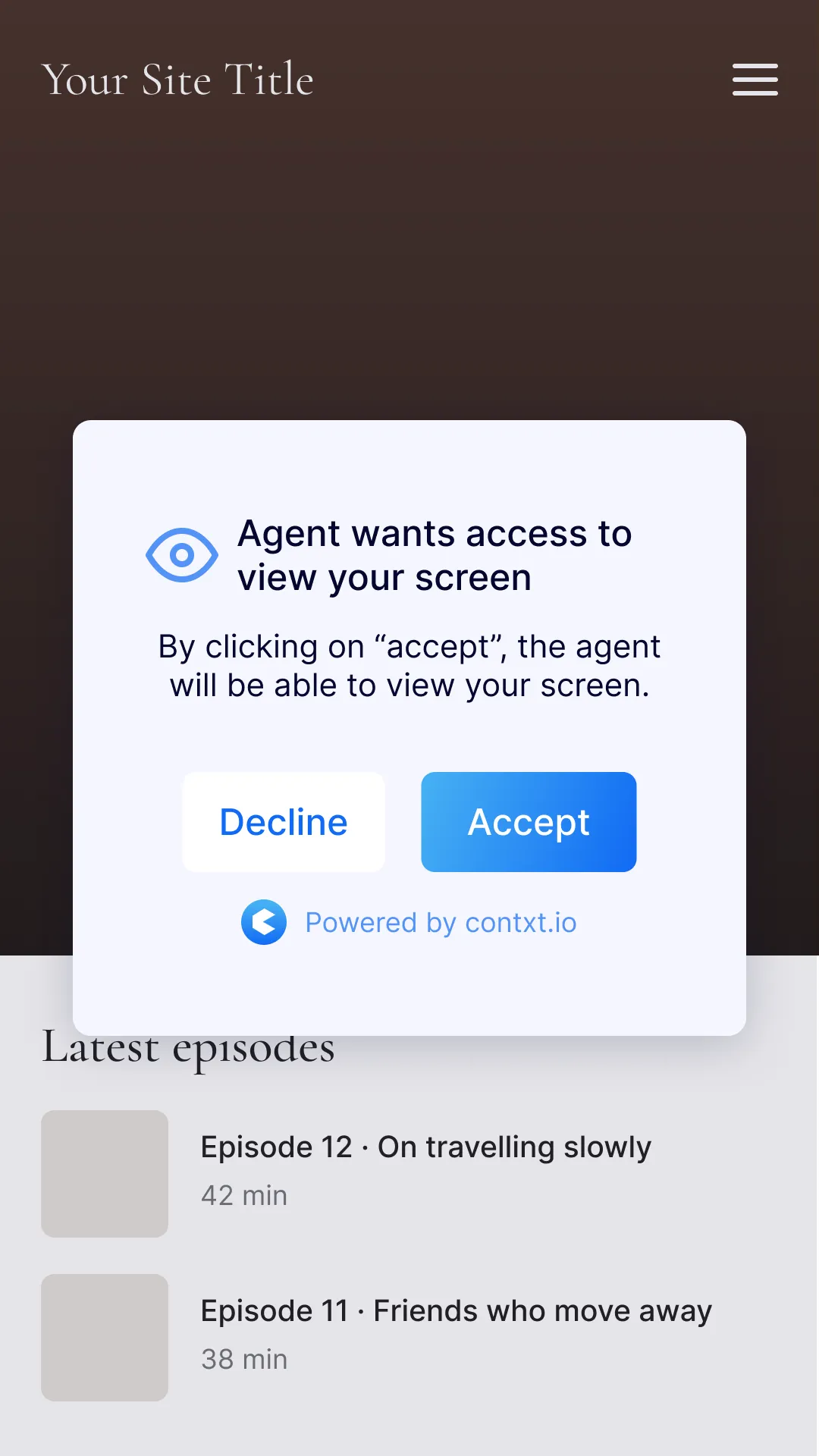
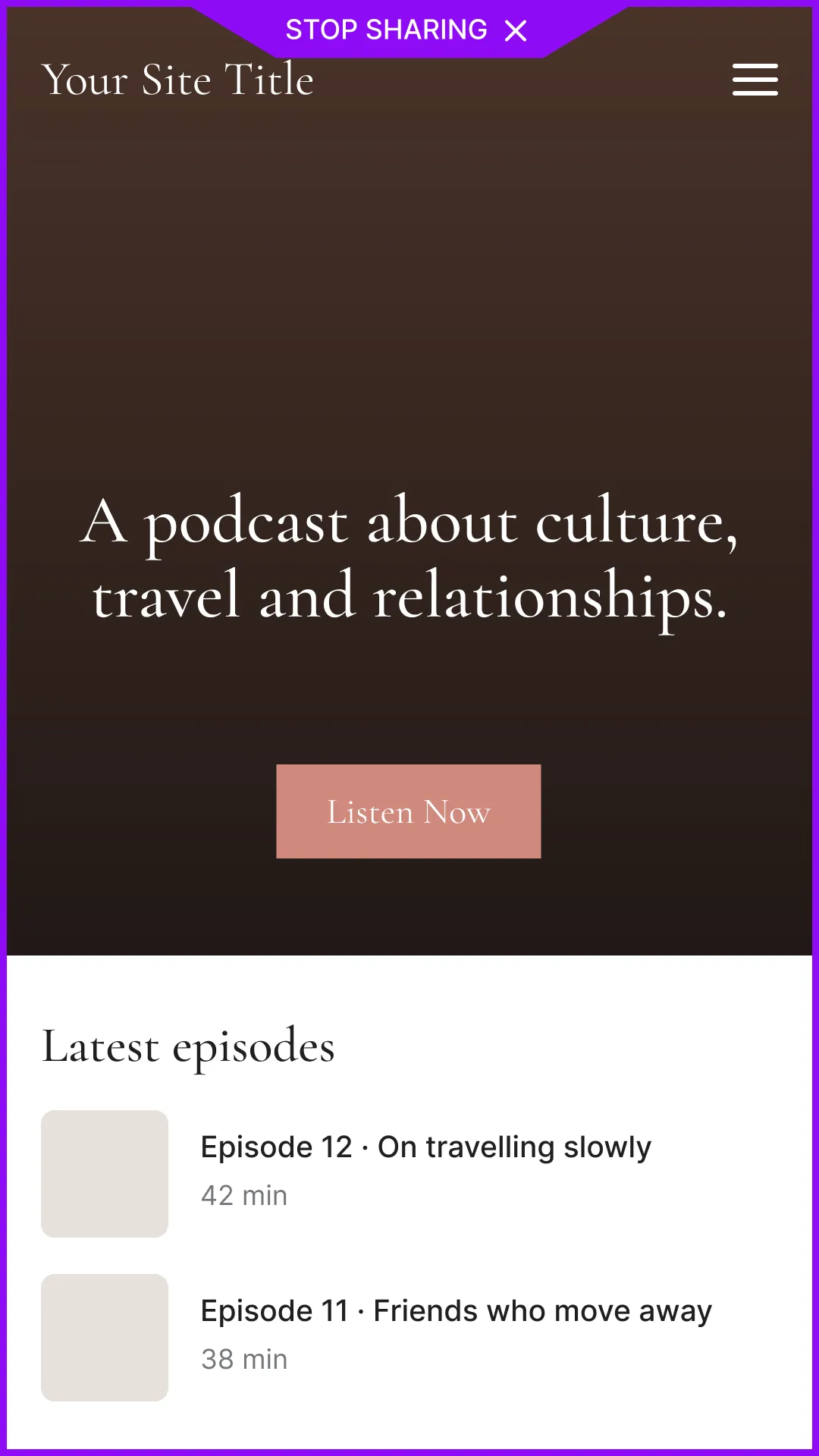
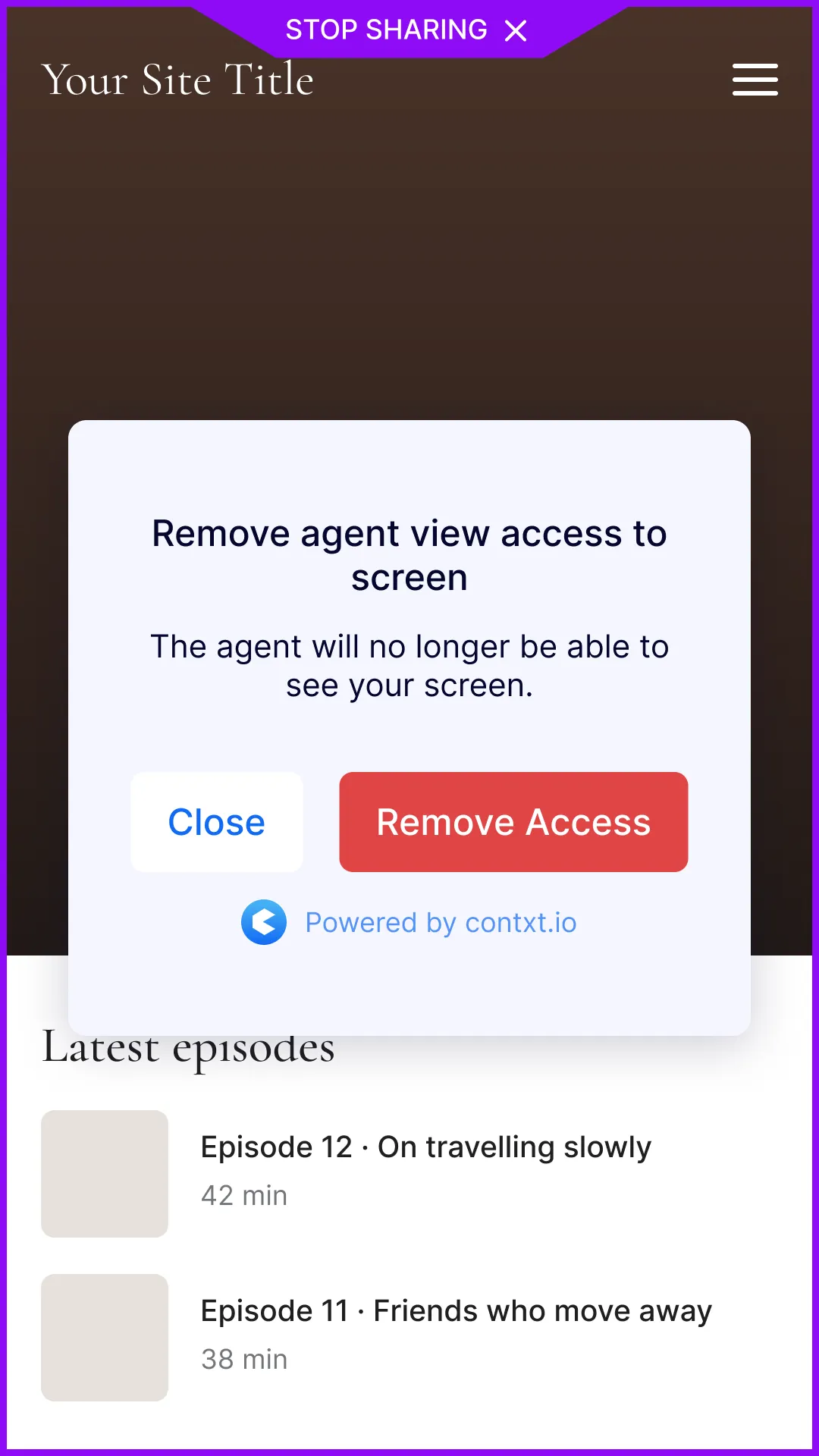
- Three steps, each one clearer on screen: an agent could follow what the customer did on the site, like a session recording; seeing their browser needed the customer’s yes and put a purple border around it; taking control needed another yes, turned the border orange, and kept both cursors on screen.
Why
During remote control both cursors stayed on screen, labelled, so it read as “we’re both here”, not “I’ve replaced you.” Once a customer said yes, a border framed their whole browser: purple with “Stop sharing” when the agent could see, orange with “Remove access control” when they could also click and type.
Asking permission before an agent could even watch was a company-wide setting in V1, off by default. I come back to that at the end too.
Decision 04
Replay is its own screen
- What I chose
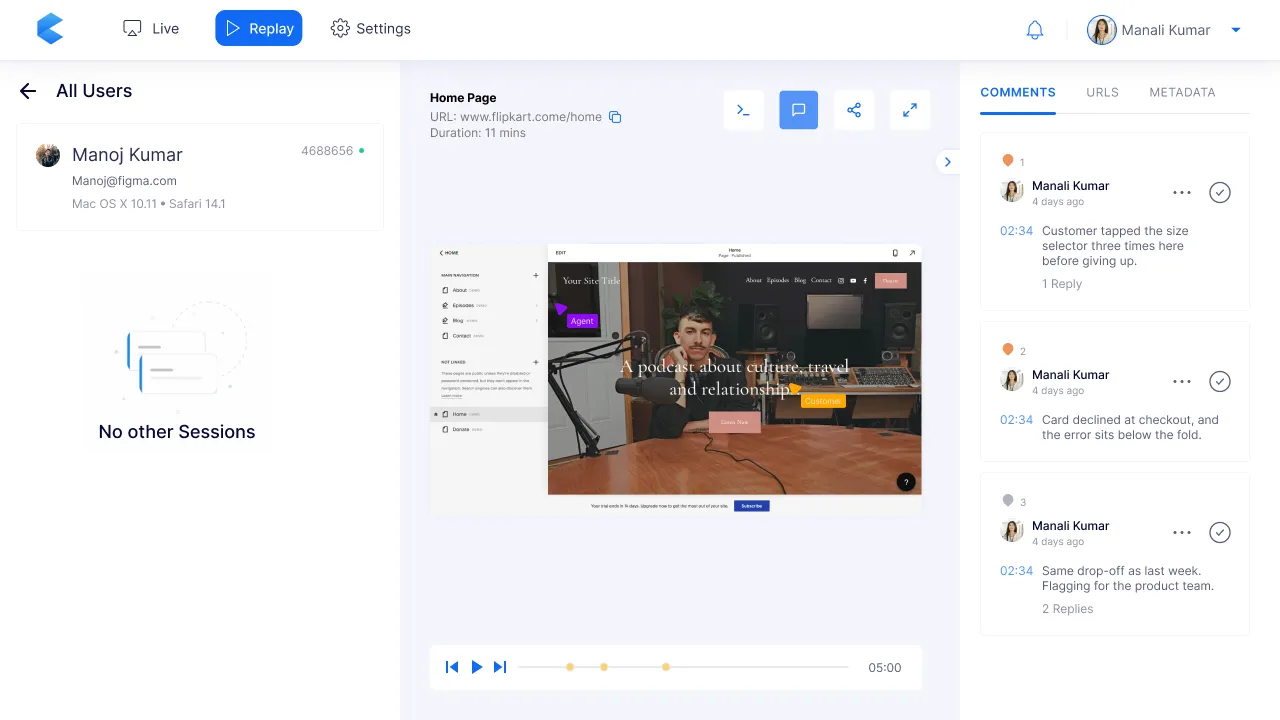
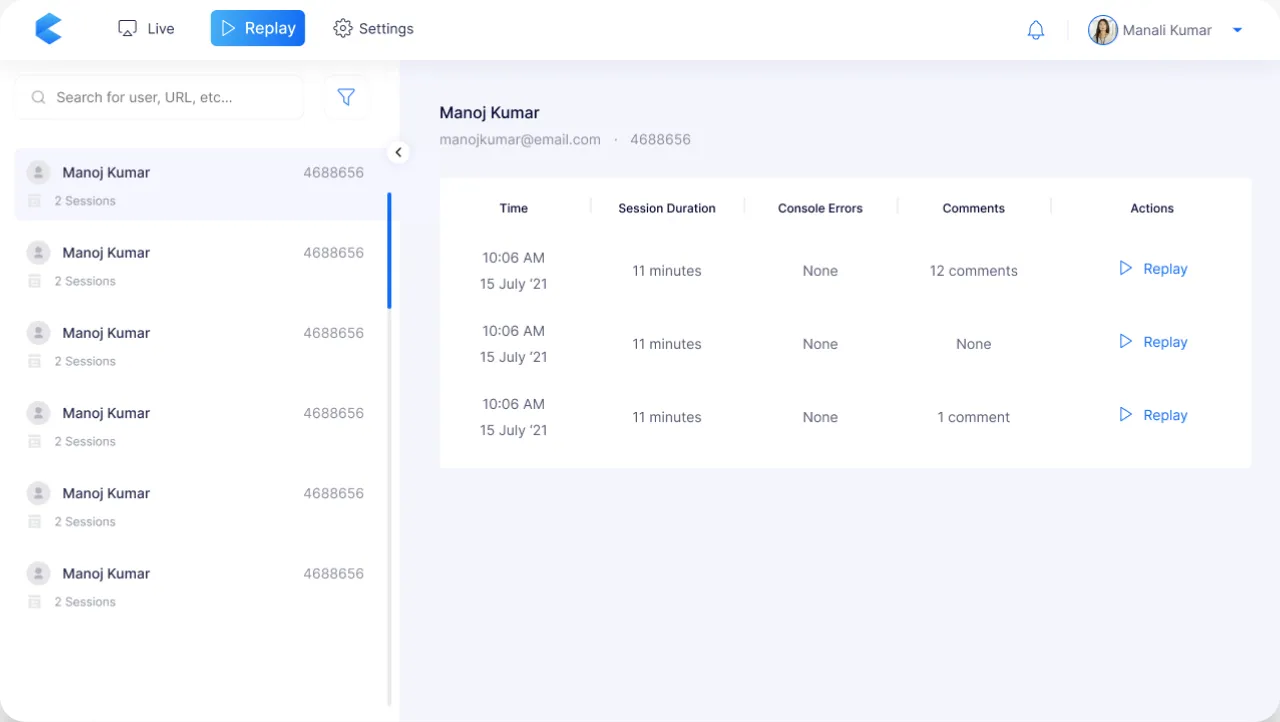
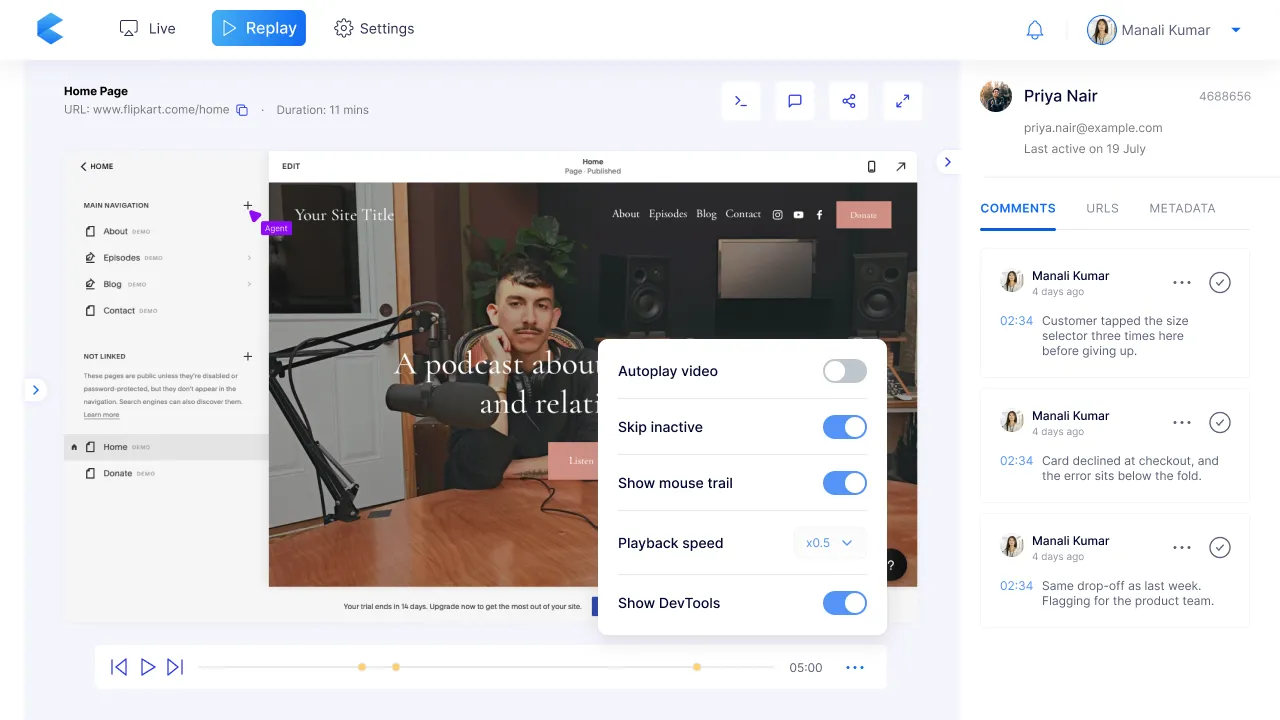
- The same recording as Live, on a separate screen built for reviewing later, with comments pinned to moments on the timeline.
Why
Live is for helping now; Replay is for learning later. A teammate can stop at 02:34, where the customer got stuck, and leave a comment right there, then share the session with whoever can fix it. The browser’s console log opens alongside, so a bug report arrives with its evidence. A support lead could watch the ten sessions where people abandoned checkout this week and see the pattern, not just the anecdote.
Results
I designed Contxt’s V1 in two months in 2021, with an intern I directed, and handed it to engineering. It never reached the market. COVID hit SaaS budgets, and the company wound down before V1 could launch. There are no users, no adoption numbers and no results to report.
What I stand by is the design itself:
- Permission lived in the screens themselves. Watching, seeing and acting were treated differently, and the coloured border kept the customer in charge the whole time.
- The Doorbell let the customer start the conversation, which decided whether co-browsing felt like help or like being watched.
- Replay was its own screen on the same recording, which kept Live focused on helping now and gave teams somewhere to learn later.
- A complete V1 in two months, from sign-up and install through Live, the Doorbell and Replay, plus the logo and the landing page.
What I learned
- Trust comes from what’s on screen. A border that stays while someone can see yours, with a way to end it, does more than any privacy statement.
- Who starts the session changes how it feels. The Doorbell was the most important call in the product.
- Two cursors is a principle disguised as a visual detail. The moment the screen says “we’re both here”, the whole interaction feels safer.
- With two months and two people, the design system is the multiplier. Every hour spent on a shared component or rule saved two later.
What I’d do differently
Make the safe choices the defaults. In V1, hiding card and bank fields was something a business had to set up, and asking permission before watching a session was a setting that was off by default. If Contxt had launched, I’d have pushed for both to be on from the start. Trust that depends on someone finding a setting isn’t really the default.
Make the Doorbell appear when it’s needed. In V1 the Doorbell was always on the page, whether or not the customer needed it. Most of the time it was noise, and occasionally it was a lifeline. The better version would stay hidden until the product could tell the customer was struggling (a stuck checkout, a failed payment, repeated clicks on the same button) and only then slide into view. The principle stays the same, the customer knocks, but only when knocking is worth it.
Credits
- Design lead: myself (at HumanX), including the logo and landing page
- Design support: one design intern I directed on the engagement
- Client / Product: Contxt